- Home
- Application Development Courses
- Liferay Training
Join the cohortGet instant access (self-paced)
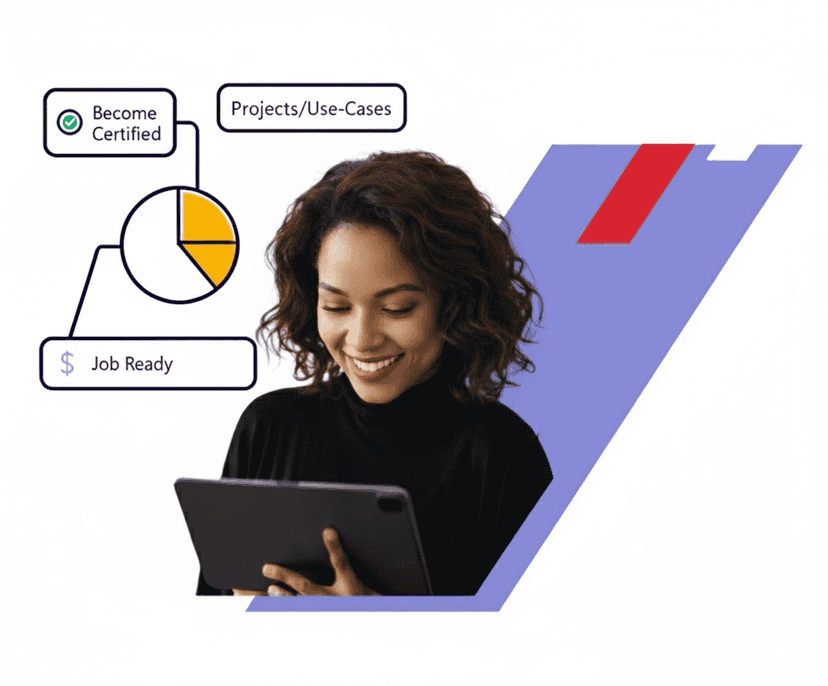
Real-time Use cases
24/7 Lifetime Support
Certification Based Curriculum
Flexible Schedules
One-on-one doubt clearing
Career path guidance
MindMajix Liferay Training: Experience the real-time implementation of different features of general familiarization to Liferay tools and their applications, Problem formulation and how to handle very complex tasks, Difference between internet and intranet and etc. This Training is the quickest way to learn best practices for developing Liferay plugins, successful deployment, administration, or tuning of Liferay Portal. Get hands-on experience on Liferay's built-in web content management system allowing users to build websites and portals as an assembly of themes, pages, portlets, and a common navigation. Enroll & Become Certified!


Course Coverage
YOUR LEARNER JOURNEY - From Enrolment to Employment
Six guided stages take you from your first training class to your first offer — each one backed by a specific MindMajix support service.
Pick live online or self-paced, and set up a free Liferay Instance so you practice from day one.
Master Liferay concepts with 25 hrs of current-release content, applying every concept in hands-on labs and real-time projects throughout.
Clear the assessments for your shareable MindMajix completion certificate. Modules map to official Liferay exam topics for exam-aligned prep.
Turn skills into a profile recruiters notice — build an interview-ready resume and a strong LinkedIn presence using proven Liferay templates.
Walk in already rehearsed. Sit structured mock-interview rounds with experienced SMEs and get focused feedback on your Liferay skills and scenario questions.
Apply with confidence using job-search assistance and referrals to hiring partners across India & the USA. (Career support provided; placement not guaranteed.)
Start the journey today - choose the format that fits you.
The Liferay training is available as multiple courses concerning the various Liferay job roles. You can opt for a single course or select multiple courses to integrate the curriculum as per your requirement, with the price subject to change accordingly.
1. Intro About Liferay
What is portal and example of portals
What is website
Difference between website and portal
What is Liferay
What is portlet
Difference between portlet and servlet
Portlet specifications JSR 168 and 286
2. Liferay Setup
Prerequisites to do Liferay setup
Liferay setup
Portal configuration with a little bit of internals
3. OSGI Concepts
What is OSGI, why it is
OSGI features
What is modularity
OSGI declarative services
What is bundle
What is bnd.bnd
4. Hello World Portlet
Recap of portlet
How to create a module-based portlet
Info about module files
Drop module on page
One test ( create new jsp page and onclick navigate to that page)
5. Portlet Life Cycle
What is life cycle
JSR 168 life cycle methods
JSR 286 life cycle methods
A sample project explaing all liferay cycle methods and urls
Test
6. Portlet and Liferay Tag Libs in init.jsp
Liferay-theme & implicit objects given it
Liferay-UI
Liferay-portlet & implicit objects given it
Test project
7. Backend Introduction with MVC
What is a service builder
Service module creation with payroll entity entities
Overview of generated classes
Business login in XXXLocalServiceImpl
Finder methods & finder methods with filter
Custom SQL queries
Dynamic quires
Test
8. Integrating Backend with Web Module
Integrating backend
Intro to the payrool application
Service builder for payrool application to generate Model layer
Write neccessary business logic in XXXLocalServiceImpl for CURD operations
Write controller methods regarding initial operations of payroll project
Building pages to perform minimum payroll oprations
9. MVCCommand Classes
What are MVCCommand classes
Types of MVCCommand classes
Reimplement all functionalities developed in 9 sections with MVCCommand classes
10. Content Management
What is content management
What is a web content article
What is Structure
What are template and FTL
Basic web content
Create new web content with custom structure and template
Test
11. Organisation & Users
What is organisation, why organisation
How to create orgnisation
Users, create users
12. Roles and Permissions
What is role and permission
Importance of role and permission in websites
Create role and permissions
Sample demo how roles and permissions works
Use roles and permissions in payrool project with real case
Test
13. Site, Site Template, Layout, Groups
What is site template and how to create site template
what is site and how to create site
What is layout
What is group
How to create layout and group
What is team, how to create team in Liferay
14. Themes
What is a theme?
Why theme?
How to create a theme
How to edit theme
How to apply a theme to an organization
15. Fragments
What is fragments
Fragment creation with a real example
Test
16. Final Project
Payrool website design
Payrool website creation
Payrool stake holders creation
Payrook roles and permissions
Complete website design
Payrool web module with required command classes
Payrool service builder with minimum business logic
Controler with minimum mediator logic
Building functionality views, roles and permissions
Checking entire flow
17. Customizations
What is customization and why we need customization
What we can customize ( controller, jsps, service builder,js)
How to override controller code
How to override js
Create user with role ( default role of payroll application) and permissions
Test
Recap of Entire Training Concepts
1. Development Environment
Installing Developer Studio
Liferay Development Environment
2. Module Lifecycle
Developing Applications in the Module Framework
What are Modules?
What are Components?
Application Lifecycle
3. Building Modules
4. Building Services
Service Architecture
Creating a Basic Service
Implementing Your Service
5. The JSR-286 Portlet Specification
A JSR-286 Portlet Specification
What are Portlets?
The Portlet Lifecycle
What is IPC?
6. Interacting with the Shell
Overview of the Shell
Bundle Installation
Deployment Status
7. Building Portlet Modules
Portlet Components
Configuring Portlet Attributes
Presentation Layer
Controller Layer
8. Debugging Module Deployment
Dependency Resolution
Troubleshooting Deployment
Discovering Services
9. Bringing Everything Together In a Real World Application
Project Overview
Creating the Portlet
Model & Persistence Layer
Service Layer
View Layer
10. Bringing Everything Together in a Real World Application (Continued)
Liferay Utilities
Validation and Feedback
Implementing Permissions
Liferay Services
Integrating with Liferay Frameworks
11. Upgrade Strategy
Upgrading from Liferay 6.2 to DXP
1. Liferay Platform Architecture and Toolsets
Development Environment
Platform Architecture
2. Developing on the Liferay Platform
Introducing OSGi
Customizing with Modules
Module Lifecycle
Implementing Features with Components
Deploying Customizations with the Shell
3. Customization via Configuration
Configuration Framework
Customizing Default Settings
4. Customizing the View
Developing Custom Application UIs through the GUI
Overriding Application JSPs
Overriding Kernel JSPs
Using JavaScript Extension Points to Change Core Behavior
Customizing Product Navigation Menus
5. Localization
Overriding Resource Bundles
Adding Locales
6. Customizing the Controller
Using MVC Commands to Override the Controller
Render Commands
Action Commands
Overriding the Controller in the Kernel
7. Customizing the Service Layer
Overriding Services
Extending Services with Service Wrappers
8. Publishing Services
Simplifying Communication with REST Services
Publishing Web Services
9. Customizing the Persistence Layer
Intercepting Events with Model Listeners
Extending the Liferay Schema
10. Messaging
Message Bus: Liferay’s Lightweight Framework
Sending Messages Across the Network
11. Authentication
Customizing the Authentication Pipeline
Using LDAP Sync to Map Users
Automatically Logging In Users
Securing Remote Access with AuthVerifiers
12. Search
Customizing the Search Index
Tailoring Search Queries
Filtering Search Results Using Facets
13. Lifecycle Events
Injecting Custom Logic in the Request
Implementing Servlet / Portlet Filters
Customizing Server Startup
Participating in Shutdown Events
1. The New UI Landscape
Lexicon: Liferay’s Design Language
Modern JavaScript Design with ES2015
Creating UI Components with Metal.js
Maintaining Alloy UI
2. Developing Themes
Building and Generating Themes
Customizing Lexicon and Bootstrap Components
Styling Applications
Creating and Using Reusable Themelets
Packaging Content in Themes
Embedding Applications
3. Customizing the Page Layout
Creating Layout Templates
Embedding Applications into Templates
4. Styling in Liferay with Display Templates
Liferay’s Templating Options
5. Delivering Consistent Content Experiences
Styling Web Content with Templates
Creating and Previewing Content Templates
6. Customizing Email Notifications
Creating Notifications with FreeMarker Templates
Using Tag Libraries in Templates
7. Customizing Application UIs
Controlling Application Presentation
8. Advanced Templates
Using Google Closure Templates with Metal.js
1. Installation
Installing a Liferay Bundle
Connecting to external databases and mail servers
Installing Liferay Manually on an Existing Application Server
2. Configuring Liferay
Server Administration through the Control Panel
Plugin Management
Liferay Marketplace
Configuring Liferay Services Oriented Architecture
3. Clustering
Introduction to Cluster Design
Creating a Liferay Cluster
Principles of Liferay Clustering
Configuring Quartz for Job Scheduling
Syncing the Database Cache across your Cluster
Clustering Documents and Media
Syncing Search Indexes
Setting up a Solr Server
Session Replication
Load Balancing using Apache
Deploying Plugins across a Cluster
4. External Services
Using External Services for Document Previews
Setting up ImageMagick Higher Quality Image Previews
Setting up LibreOffice for Document Conversion
Configuring Xuggler for Audio/Video Previews
Setting up Liferay as a WSRP Producer and Consumer
5. Performance Tuning Overview
Load Testing
Profiling
Memory Management
Garbage Collection
Cache Optimization
Optimizing Lucene
Configuring a Content Delivery Network
Database Sharding
6. Maintaining Liferay
Liferay Monitoring
Backing Up a Liferay Installation
7. Log Levels
Upgrading Liferay
Installing Fix Packs Using the Patching Tool
1. Getting Started With Liferay
Installing Liferay Portal
Familiarizing Yourself with Liferay's User Interface
Get started with Portal Configuration
2. Fundamental Liferay Concepts
Grouping and Displaying Content Using Sites
Sharing Content through Site Hierarchy
How to manage Users using Organizations and User Groups
3. Managing Permission Through Roles
What are Permissions?
What are Roles?
Creating and using Roles effectively
Delegating Permissions using Teams
4. Basic Page Management
Site Navigation
Creating and Managing Pages
Setting Page Permissions
Site and Page Templates
5. Introduction To Liferay's Asset Framework
What is an Asset?
Assets available in Liferay out of the box
Adding Metadata using Tags and Categories
6. Basic Web Content
Basic Web Content Creation
Placing and Displaying Content
Organizing Content with Content folders
Using the Recycle Bin
7. Managing Documents and Media
Creating Documents in Liferay
Storing Files and Folders
Adding metadata to documents
8. Encouraging Collaboration in Liferay
Understanding the Tools used for Collaboration
Managing the Tools used for Collaboration
9. Enhancing Networking and Collaboration
Measuring User Participation
Enabling Users to connect with one another
Integrating Liferay with other Social Networks
10. Connecting to External Services
Embedding Web Sites
Publishing RSS Feeds
Placing Remote Portlets
11. A Deeper look into Liferay's Asset Framework
Relating Content through the Asset Framework
Learning how to enhance Content through the Asset Framework
Monitoring Content
12. Understanding Custom Fields
What are Custom Fields?
Creating and using Custom Fields
13. Understanding Workflow
What is Workflow?
Understanding a Workflow Process
Using a simple Workflow
Additional Features of the Workflow Engine
14. Understanding Dynamic Data Lists
What are Dynamic Data Lists?
Creating a Data List
Integrating Dynamic Data Lists with Workflow
1. Driving the Content Process in Liferay
Content Management Concepts
Solving Real-World Content Needs
2. Authoring Content
Storing Content in Liferay
Web Content Management
Document Management
Generating Customer Engagement with Blogs
Providing Real-Time Updates on Team Projects
3. Organizing Content
Using Folders to Organize Content
Tagging and Categorizing Content to Make Searching Faster
4. Managing Content
Changing Content Display Options
Automating Content Updates with Asset Publisher
5. Managing Content (continued)
Applying Consistent Design to Content with Structures
Improving SEO Ranking with Metadata
Incorporating Accessibility Practices
6. Syncing Content Between Teams
Managing Documents with Liferay Sync
Separating Team Projects Across Wiki Nodes
7. Delivering Content to the Right Audience
Defining User Segments
Targeting Content to Different User Segments
Gathering User Analytics
Integrating Google Analytics
8. Publishing Content to Live
Reviewing Content Submissions
Staging Content Before Publishing
Our Liferay Training course aims to deliver quality training that covers solid fundamental knowledge on core concepts with a practical approach. Such exposure to the current industry use-cases and scenarios will help learners scale up their skills and perform real-time projects with the best practices.
 Training Options
Both options cover the full curriculum and include most of the certification topics
Learn anytime, at your own pace — complete the course in weeks or months.

Get Pricing
Real-time classes with a certified expert — ask questions, get instant feedback, and walk away job-ready

07:00 PM ET · Weekday · Limited seats available

30 hrs · Live online · Recordings included
2 weeks · 30 hrs total
3 weekends · 30 hrs total
Need a different time? We offer and at any timezone. Contact a course advisor to set one up.
Empower your team with new skills to Enhance their performance and productivity.

Passing Liferay Training Quizzes & Assessment exams is mandatory to attain the Liferay Training Course Completion certificate
Learn from the certified and real time working professionals.
Ravinder , having 8+ yrs of experience
Ravinder has got 8+ of years of industrial experience working for global MNCs. He chose to deliver online training and contribute informative articles and blogs to various websites to share his technical expertise.
We believe in transparency. Here's how MindMajix stacks up against typical Liferay Training providers so you can compare value, support, and practical depth clearly.
Liferay Training
 945 learners
Generic Liferay Training Providers
Updated to the latest exam pattern with real-world modules, guided labs, and implementation depth.
Always currentOften outdated basics with limited real-world coverage and shallow practical context.
Frequently outdatedSandbox-style practice with guided exercises, projects, and replay-friendly learning support included. Dedicated sandbox access is available as an optional paid add-on.
Guided practice with optional sandboxTraining may rely heavily on slides or generic demonstrations, with limited project guidance and minimal support during practical implementation.
Limited practical guidanceCertified trainers with real implementation experience and structured teaching support.
Verified expertiseTrainer quality varies widely and may depend on availability rather than specialization.
Varies widelyA stable trainer journey with consistent delivery, doubt support, and batch continuity.
Consistent trainerTrainer substitutions can happen mid-course and interrupt learning continuity.
Frequent changesOngoing help through trainer sessions, community support, and guided clarification after class.
Extended supportSupport often stops after sessions, leaving little structured post-class help.
No post-training helpResume reviews, mock interviews, hiring guidance, and practical interview preparation support.
Active placement supportPlacement support is often limited to generic guidance or an email list.
Mostly nominalStructured mock interview rounds with domain-focused feedback before interviews.
IncludedStudents are usually expected to prepare independently without guided mock rounds.
Not includedWeekday, weekend, and flexible learning paths with guidance on the best fit.
Fully flexibleFixed schedules with fewer alternatives once a batch begins.
Limited optionsPractice questions, revision guidance, and exam-focused preparation aligned to current objectives.
Comprehensive prepGeneric question banks that may not reflect the latest exam priorities.
Outdated mock testsStrong value with training, support, and practical learning included as a single package.
Best value for inclusionsLower headline pricing can still lead to add-on costs for labs, support, or extras.
Hidden add-on costsLong-term access to recordings and study materials for revision after batch completion.
Lifetime-style accessAccess is often time-limited and may not include refreshed supporting material.
Time-limited access
Best IT Online training platform for beginners
I have taken Liferay training from Mindmajix the trainer was awesome and the team supported from Mindmajix was excellent.
Positive
Value
Bangalore
My experience with mindmajix was quite good. Always got a prompt response from the team whenever I required any help. My trainer has good knowledge about Liferay and tried to explain everything clearly with examples. He makes sure that I understand every topic properly. Thank you Mindmajix for showing exemplary commitment to my learning journey.
I'm delighted by Liferay Online Training, especially Trainer is very professional and has a very keen knowledge of the subject. And also, he explains the concepts Clearly. So my experience with Mindmajix is excellent.
Student
Student
Student
Student
On-Job Support Service
Our work-support plans provide precise options as per your project tasks. Whether you are a newbie or an experienced professional seeking assistance in completing project tasks, we are here with the following plans to meet your custom needs: