PowerShell Training

MindMajix offers PowerShell training in live online and self-paced modes. The training includes hands-on exercises and aligns with PowerShell 7.5.4.

Join the cohortGet instant access (self-paced)

(4.8)
12945 learners
Trusted by 130+ corporates
Join the cohortGet instant access (self-paced)

PowerShell Training

Course Features

100% Money back guarantee
Two Real-time Use cases

Real-time Use cases

24/7 Lifetime Support

24/7 Lifetime Support

Certification Assistance

Certification Based Curriculum

Flexible Schedule

Flexible Schedules

One-on-onedoubtclearing

One-on-one doubt clearing

Careerpathguidance

Career path guidance

PowerShell Course Overview

Build real-world expertise in IT administration using PowerShell through capstone projects, hands-on labs, and exploring industry examples. Prepare for PowerShell interviews by utilizing practice questions and mock interviews. Acquire in-demand PowerShell skills and apply for high-paying roles across industries.

At the end of the PowerShell online course, you will be able to:

  • Create basic and advanced PowerShell scripts, automate administrative tasks, and use various operators and data types
  • Manage Windows systems and simplify everyday IT operations
  • Create advanced functions, handle script errors, and use XML and JSON for data manipulation
  • Manage network configuration, server administration, and Active Directory (AD) administration using cmdlets
  • Configure and customize the Windows PowerShell console, ISE, and Visual Studio Code
Course Duration
  • Instructor-led Live-online – 25 hours
  • Self-paced On-demand – 11 hours
Prerequisites Basic understanding of the Windows Operating System
Familiarity with the Command Line Interface (CLI)
Lab Environment Our trainers will help you install PowerShell on your system step by step.
Certification Alignment
  • Administering Windows Server Hybrid Core Infrastructure (AZ-800)
  • Configuring Windows Server Hybrid Advanced Services (AZ-801)
Post-Training Support
  • Interview preparation support
  • Resume and LinkedIn profile building support
  • Job search assistance program
Role Alignment
  • Windows PowerShell Developer
  • Platform Engineer - PowerShell
  • PowerShell Devops Engineer
  • PowerShell Engineer
  • PowerShell Administrators
Target Audience
  • Beginners
  • DevOps Engineers
  • IT Administrators


PowerShell Training
demo play

Course Coverage

PowerShell Course Content

MindMajix's PowerShell course curriculum is prepared by subject-matter experts and covers essential modules to equip learners with key PowerShell administration skills. We use the latest PowerShell version, 7.5.4, in our training to help you stay relevant in the IT industry.

Topic-wise Content Distribution

Getting started with Windows PowerShell

  • Overview and Background
    • Philosophy of PowerShell (Why?) 
    • What is PowerShell? 
    • Evolution of PowerShell? 

Setting Up the Environment

  • Introducing PowerShell Command line and ISE
  • Visual Studio Code for PowerShell due to easy integration with Git
  •  Lab
    • PowerShell installation
    • Configuring the Windows PowerShell console
    • Customizing Windows PowerShell console
    • Configuring the Windows PowerShell ISE
    • Customizing Windows PowerShell ISE
    • Installing and configuring Visual Studio Code for PowerShell
    • Customizing Visual Studio

Syntax of PowerShell

  • Getting Grasp of PowerShell commands.
  • PowerShell help system for your rescue.
  • Lab
    • Finding commands using PowerShell help system.
    • Recording commands for reference using PowerShell logging.
    • Early training: Demo of some commonly used PowerShell commands.

Cmdlets for Administration

  • Active Directory administration cmdlets
  • Network configuration cmdlets
  • Other server administration cmdlet
  • Lab
    • Creating an Active Directory lab.
    • Basic Active Directory administration cmdlets
      • Creating new user accounts using PowerShell
      • Imports accounts using .CSV files
      • Supplying credentials within a PowerShell script 

Working with the Windows PowerShell Pipeline

  • Connecting commands using Pipeline
  • Lab
    • Selecting, sorting, and displaying data.
    • Filtering objects.
    • Enumerating objects.
    • Exporting user information to a file.

Pipeline in deep

  • Understanding how the pipeline works.
  • Lab
    •  Pipeline input ByValue
    • Pipeline input ByPropertyName
    • Practical hands on commonly used Advance Pipeline Techniques in PowerShell.

Working with Providers

  • Use PS Providers
  • Use PS Drives
  • Lab
    • Using File System Provider
      •  Creating and navigating files and folders using PowerShell.
    • Using Registry Provider
      • Creating a registry keys using PowerShell scripts.
    • Using Active Directory Provider

Working with variables, arrays, and hash tables

  • No fuzz data containers: variables.
  • PowerShell collections. Arrays and hash tables.
  • PowerShell types.
  • Objects in PowerShell.
  • Lab
    • Working with variable types
    • Using arrays
    • Using hash tables 

Basic Scripting

  • Input and output. 
  • Accomplishing lot with PowerShell scripting.
  • Flow control in scripts.
  • Lab
    • Setting a script.
    • Input and output using PowerShell
    • Processing an array with a ForEach loop
    • Processing items by using If statements
    • Creating a random password
    • Text file processing

Advanced scripting

  • Advanced scripts.
  • Functions in PowerShell.
  • Errors and Exceptions.
  • Getting grasp of PowerShell modules.
  • Lab
    • Creating simple functions
    • Creating advanced functions
    • Adding error handling to a script
    • Converting a function to a module

free

Add-ons

Most of the PowerShell Jobs in the industry expect the following add-on skills. Hence, we offer these skills-set as FREE Courses (Basics) to ease your learning process and help you stay ahead of the competition.

Azure Fundamentals
Agile & Scrum

Hands-on PowerShell Projects & Use Cases

Our PowerShell Training course aims to deliver quality training that covers solid fundamental knowledge on core concepts with a practical approach. Such exposure to the current industry use-cases and scenarios will help learners scale up their skills and perform real-time projects with the best practices.

  1. PowerShell Help Plus (PS+) Module #1

  2. PowerShell Help Plus (PS+) Module #2

logoTraining Options

Choose your own comfortable learning experience.

Best Value

On-Demand Training

11 hrs of Self-Paced Videos

  • 11 hours of PowerShell Training videos
  • Curated and delivered by industry experts
  • 100% practical-oriented classes
  • Includes resources/materials
  • Latest version curriculum with covered
  • Get one year access to the LMS
  • Learn technology at your own pace
  • 24x7 learner assistance
  • Certification guidance provided
  • Post sales support by our community

$ 144Save20%

$ 180

Get Full Access

Preferred

Live Online (Instructor-Led)

25 hrs of Remote Classes in Zoom/Google meet

2025 Batches

Start - End

Local Time

Weekend

Dec 06 - Dec 21

07:00 PM

Weekdays

Dec 09 - Dec 24

07:00 PM

Weekend

Dec 13 - Dec 28

09:00 AM

Weekdays

Dec 16 - Dec 31

09:00 AM

Customize your schedule here

+ Includes Self-Paced
  • Live demonstration of the industry-ready skills.
  • Virtual instructor-led training (VILT) classes.
  • Real-time projects and certification guidance.

$ 340Save20%

$ 425

For Corporates

Empower your team with new skills to Enhance their performance and productivity.

Corporate Training

  • Customized course curriculum as per your team's specific needs
  • Training delivery through self-Paced videos, live Instructor-led training through online, on-premise at Mindmajix or your office facility
  • Resources such as slides, demos, exercises, and answer keys included
  • Complete guidance on obtaining certification
  • Complete practical demonstration and discussions on industry use cases
Learn MoreContact us

Served 130+ Corporates

Corporate Clients

PowerShell Certification

Course Completion Certification:

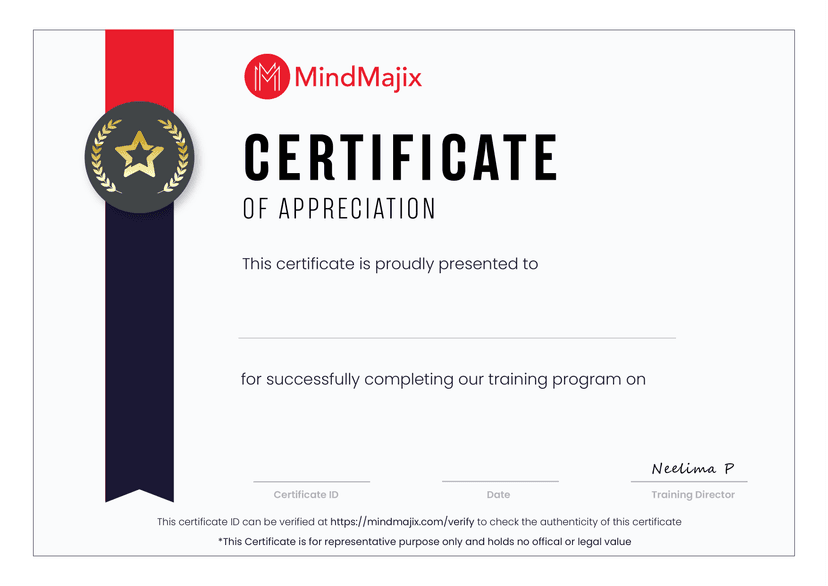
MindMajix offers a PowerShell course completion certificate upon completion of our quizzes and assessments.

  • The certification validates your proficiency in PowerShell scripting and your ability to perform IT administration tasks across multiple IT environments.
  • You can add this shareable certificate to your professional portfolio and LinkedIn profile. It helps advance your career in IT system administration.


PowerShell Certifications:

Our PowerShell course curriculum aligns with the official PowerShell certification exam topics. The course helps you build the expertise needed to pass the exams with confidence.

The table below maps the PowerShell certification exam blueprint to the corresponding MindMajix course modules, helping you prepare effectively.


Certification Name Certification Topics MindMajix Course Modules
Administering Windows Server Hybrid Core Infrastructure (AZ-800)


Deploy and manage Active Directory Domain Services (AD DS) in on-premises and cloud environments Cmdlets for Administration
Real-life examples
Implement and manage an on-premises and hybrid networking infrastructure Cmdlets for Administration
Administering Remote Computers
Real-life examples of scripting
Manage storage and file services Real-life examples of scripting
Configuring Windows Server Hybrid Advanced Services (AZ-801)
Secure Windows Server in on-premises and hybrid infrastructures  Advanced scripting
Implement and manage Windows Server high availability
Implement disaster recovery
Real-life examples of scripting
Administering Remote Computers
Migrate servers and workloads
Monitor and troubleshoot Windows Server environments
Working with the Windows PowerShell Pipeline  
Pipeline in depth
Working with Variables, Arrays, and Hash Tables
Basic and Advanced scripting


Last reviewed: 12 Nov 2025 · Sources: AZ-800, AZ-801

PowerShell Certification Details

There's no all-PowerShell test or certification (yet), but there are many Microsoft certifications that require PowerShell knowledge.

For PowerShell skill development, there exist two Microsoft official courses:

1. Course 10961-C: Automating Administration With Windows PowerShell.

2. Course 10962-C: Advanced Automated Administration With Windows PowerShell.

MindMajix certificate
Zoom

PowerShell Instructor

Learn from the certified and real time working professionals.

instructor

Training by

Shinish , having 14+ yrs of experience

Specialized in:Powershell, Azure, MS windows server

Shinish has got 14+ years of industrial experience working for global MNCs. He chose to deliver online training and contribute informative articles and blogs to various websites to share his technical expertise.

PowerShell Training FAQs

Why should you learn PowerShell?

  • Glassdoor reports that PowerShell developers can earn salaries ranging from 7 to 24 lakhs per annum in India. ZipRecruiter reports that PowerShell developers can earn an average of $106,000 per year in the USA.
  • This information proves that building your career in system administration and automation using PowerShell is rewarding and future-proof.

Do I need Windows Server or Azure access to attend the training?

No, you don’t need Windows Server or Azure access to attend the training. You need a system running Windows or Linux to participate in the training.

Do you accept learners from all countries?

Yes, we accept learners from all countries. However, they need basic English communication skills to engage effectively in the training.

How long will it take to learn PowerShell?

You can learn PowerShell in 25 hours through our live online classes or in 11 hours through our self-paced training.

I don't have any industry experience. Can I attend the training?

Absolutely. You don’t need prior industry experience to join this course. Our expert trainers at MindMajix will help you build a strong foundation in PowerShell scripting and automation.

I am a non-IT professional with no programming background. Can I take this course?

Yes, you can. We have designed this course for both technical and non-technical learners. Our trainers will closely guide you through PowerShell scripting, ensuring a smooth and practical learning experience.

I already have some experience working with PowerShell. Can I skip the basic modules?

We can tailor the PowerShell course curriculum to suit your current skill level and specific learning goals.

What system requirements do I need to meet to attend this training?

  • A mobile phone, laptop, tablet, or desktop system
  • Zoom or Google Meet installation
  • Windows, macOS, or Linux operating system
  • Stable, high-speed internet connection

How will you support me if I face problems with learning?

Our trainers will provide continuous guidance through one-on-one mentorship, practical exercises, and additional learning resources to help you master PowerShell.

Is there a maximum batch size for this training?

We typically maintain flexible batch sizes. You can also opt for one-on-one training based on your preferences.

How are trainers assigned for PowerShell training?

Most MindMajix trainers have over ten years of professional experience. Our PowerShell trainer has over 14 years of industry experience in Windows administration and automation scripting across multiple industries.

Is your PowerShell course curriculum up to date?

Yes, we continuously update our course curriculum to align with the latest PowerShell versions and industry standards, ensuring your skills remain current.

Which version of PowerShell do you use for the training?

We use PowerShell version 7.5.4 in our training to complete hands-on exercises and real-time projects.

How much importance do you place on hands-on training in this course?

MindMajix emphasizes practice-based training. You will complete a series of hands-on exercises in system management and PowerShell scripting.

How do you deliver hands-on projects in the training?

You will complete real-time PowerShell projects listed in the project section of this webpage under the supervision of our trainers. You will have hands-on experience in system administration and configuration using PowerShell.

Can I get support to set up the PowerShell lab environment?

Yes, our trainers will help you install PowerShell on your system for your hands-on practice.

Do you provide support if technical issues arise during the training?

Yes, our dedicated technical support team is available throughout the course to help you resolve any technical issues you may encounter.

What are the requirements to earn the MindMajix certification?

You must complete the final assessment at the end of your course to earn a MindMajix PowerShell completion certificate.

What is the format of your assessments?

Our assessments include multiple-choice questions to evaluate your understanding of PowerShell concepts and scripting skills.

Do you provide any additional learning resources beyond the training?

Yes, you will gain access to the following eLearning resources to deepen your knowledge.

Does your PowerShell course guarantee a job?

While we do not guarantee job placement, we provide extensive career support, including:

  • Helping you build a powerful resume, highlighting your PowerShell skills
  • Conducting mock interviews to boost your confidence
  • Sharing your profile with top companies hiring PowerShell professionals

Why should I learn PowerShell with MindMajix?

  • Our comprehensive course curriculum is ideal for both beginners and experienced learners.
  • You can learn from industry experts with extensive PowerShell scripting experience.
  • We provide project-based training to build a strong portfolio that showcases your work.
  • You will receive the latest learning materials.
  • Our alumni are successfully placed in leading organizations.

What if I miss a PowerShell training session?

You can easily access recorded sessions of any missed classes through our LMS at your convenience.

How can I contact your support team?

You can reach out to our support team by phone, WhatsApp, or through the contact form on our website.

What is your typical response time for addressing queries?

Our support team responds promptly to all your queries.

What is the validity period of MindMajix certification?

Your MindMajix PowerShell course completion certificate is valid for a lifetime.

What payment methods do you accept for training fees?

We accept debit/credit cards, net banking, and UPI for your convenience.

How long can I access the self-paced pre-recorded videos in the LMS?

You will have one year of access to the self-paced, pre-recorded PowerShell training videos. You can also renew your access annually at a discounted rate.

TESTIMONIALS
What Learners say about Mindmajix
Quote

Learning with MindMjaix is great

Learning with MindMjaix is great.

A

Aman Goyal

Hyderabad

Quote

I took an online course of...

I took an online course of Powershell from this institute and it was completely worth it. The trainer was quite experienced and gave me a proper understanding of the course that I took

A

Ashish Bhardwaj

Bangalore

Quote

As soon as I search for...

As soon as I search for PowerShell Training on google I found Mindmajix, enrolling for the course was an easy task, got continuous support from the trainer for the queries i had. Thanks for the support and i recommend highly mindmajix for online training seekers.

S

Sirisha

Student

Quote

We appreciate the practical-based Salesforce training...

We appreciate the practical-based Salesforce training we received from MindMajix. The training gave our employees a deep understanding of Salesforce Development and administration concepts and the ability to apply them in their work. Now, we are ready to tackle challenging projects.
A

Abhiudaya Pratyush

Lead - Salesforce Cloud, D&IT

Quote

Excellent hands-on training

Excellent hands-on training! MindMajix did a great job providing a supportive and flexible learning environment. We appreciate our partnership with MindMajix because the training helped us explore Microservices from the basics to the advanced.
V

Vishwas Babre

Senior Technical Manager

Quote

Our cyberArk training with Mindmajix gave...

Our cyberArk training with Mindmajix gave our employees the competency to protect digital assets from modern cyberattacks. We made it because of MindMajix's latest course content and the trainer's excellent delivery.
B

Baswaraj Ramshette

Global Head of Infra, Security and Networks,

Quote

The UiPath training with MindMajix was...

The UiPath training with MindMajix was very transformative. We could witness the upgrade in the knowledge base of the employees who completed the training. Now, we manage our tasks with more confidence involving UiPath.
A

AJ Jones

Business Analyst at American Red Cross, Culpeper, Virginia, United States

Quote

For Equinox, choosing MindMajix as the...

For Equinox, choosing MindMajix as the learning partner is a big win. The training helped our employees align with the latest trends in harnessing AI Power in CRM, and their contribution to our recent business growth has been significant.
J

Jenn Sayre, PMP, POPM (she/her)

IT Business Systems Analyst, Sales Applications • CX GTM Global Program Manager - WomenConnect

Quote

Our partnership with MindMajix is entirely...

Our partnership with MindMajix is entirely productive. The hands-on training helped our employees learn to work confidently with the Oracle Apex platform and develop applications, and our productivity has definitely improved after the training.
G

GopalRathinam Ramadoss

Team Leader - DB Admin

How to prepare for a career in PowerShell

Learn, practice & Master PowerShell Concepts
Attend classes & Demonstrate your proficiency in use cases & Lab Assignments
Enhance Your Professional Profile
Craft an attractive resume and LinkedIn profile with personalized advice.
Access Career support
Leverage dedicated guidance to successfully navigate the PowerShell job market
Path
Earn a Valued Certificate
Elevate your resume with a Course Completion Certificate from Mindmajix that stands out!
Mock Interview
Experience real-time interview simulations with Mindmajix SMEs
Qualify for in-demand job titles
$ 126,500+ median U.S. salary for PowerShell Professionals. Apply for : positions - Powershell Developer, Powershell Scripting Developer / Analyst, Automation Engineer - Powershell scripting

logoOn-Job Support Service

Online Work Support for your on-job roles.

jobservice
@Learner@SME

Our work-support plans provide precise options as per your project tasks. Whether you are a newbie or an experienced professional seeking assistance in completing project tasks, we are here with the following plans to meet your custom needs:

  • Pay Per Hour
  • Pay Per Week
  • Monthly
Learn MoreContact us
Teams across the globe run on MindMajix
+
Learners, Careers Upskilled
  • +
    Courses, Largest LMS
  • +
    Corporates, Global Clients
STILL GOT QUERIES?

Get a Live FREE Demo

  • Explore the trending and niche courses and learning maps
  • Learn about tuition fee, payment plans, and scholarships
  • Get access to webinars and self-paced learning videos
Name
Course *
Email *
Phone Number

Find PowerShell Training Online in Other Locations

To meet the learning needs of people spread across various geographical locations, we are offering our high-quality training services at the location of your choice to ensure you obtain maximum impact for your training investment. Choose your city below.

BangaloreHyderabadChennai

Training_Location

Process Automation CoursesView All

PowerShell Top Articles