- Home
- Data Management Courses
- Peoplesoft Data Management Training
Join the cohortGet instant access (self-paced)
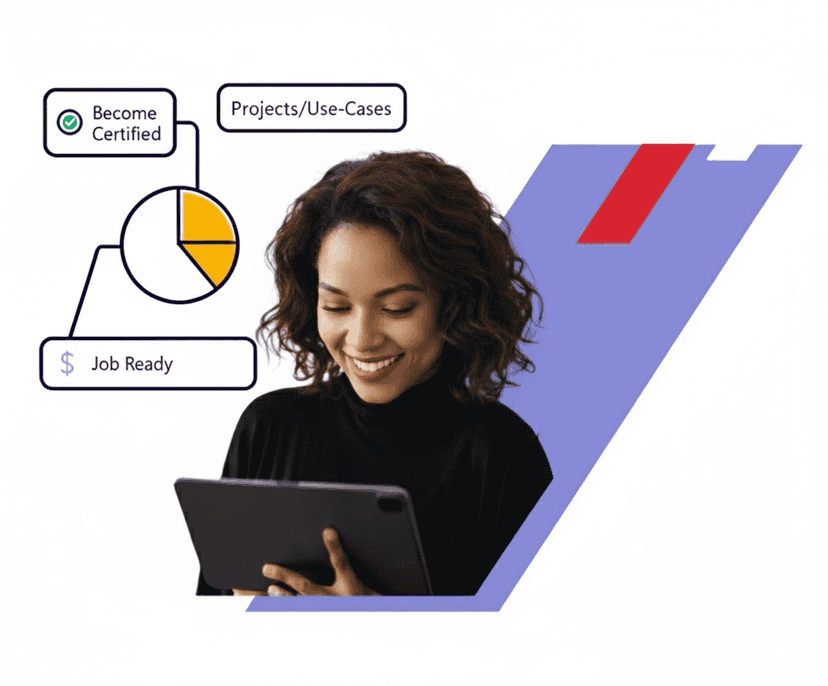
Real-time Use cases
24/7 Lifetime Support
Certification Based Curriculum
Flexible Schedules
One-on-one doubt clearing
Career path guidance
Experience the Real time implementation of Peoplesoft Data Management Training projects by exploring how to archive data from PeopleSoft applications. PeopleSoft supports a number of versions of UNIX and Linux in addition to Microsoft Windows.


Course Coverage
YOUR LEARNER JOURNEY - From Enrolment to Employment
Six guided stages take you from your first training class to your first offer — each one backed by a specific MindMajix support service.
Pick live online or self-paced, and set up a free Peoplesoft Data Management Instance so you practice from day one.
Master Peoplesoft Data Management concepts with 30 hrs of current-release content, applying every concept in hands-on labs and real-time projects throughout.
Clear the assessments for your shareable MindMajix completion certificate. Modules map to official Peoplesoft Data Management exam topics for exam-aligned prep.
Turn skills into a profile recruiters notice — build an interview-ready resume and a strong LinkedIn presence using proven Peoplesoft Data Management templates.
Walk in already rehearsed. Sit structured mock-interview rounds with experienced SMEs and get focused feedback on your Peoplesoft Data Management skills and scenario questions.
Apply with confidence using job-search assistance and referrals to hiring partners across India & the USA. (Career support provided; placement not guaranteed.)
Start the journey today - choose the format that fits you.
The Peoplesoft Data Management course by MindMajix delivers core modules to deliver skills that include current job market needs. MindMajix trainer community with highly reputed trainers come together to curate the curriculum, which covers the topics of the latest certifications and skills employers expect from trained individuals. Our Peoplesoft Data Management online training curriculum covers the following concepts:
Describing Data Management Tasks
Describing Data Management Tools
Describing PeopleSoft Database Tables
Describing Change Assistant
Describing Application Updates
Describing Application Upgrades.
Describing PeopleSoft System Components
Describing Structure Versus Content
Tracking Definition Changes
Describing Customizations
Defining Upgrade Terminology
Identifying a Database.
Identifying PeopleTools Tables That Affect the System Catalog
Configuring Data Definition Language (DDL) Parameters
Using the Build Process
Altering Tables
Creating Views
Indexes and Triggers
Running Database Integrity Reports.
Examining PeopleTools Tables
Securing PeopleTools Tables
Running SYSAUDIT Reports.
Documenting Changes and Customizations
Printing Definitions
Searching for Strings in PeopleCode
Determining How Definitions are Related.
Identifying Change Control Components
Administering Change Control Options
Setting Workstation Preferences
Locking and Unlocking Definitions
Copying Locked Definitions.
Describing the Migration Process
Creating Upgrade Projects
Copying Projects to Databases
Validating and Reusing Projects
Adjusting Definitions
Merging Projects
Copying Projects To and From Files.
Describing the Compare Process
Running Compare and Report
Setting Upgrade Options.
Viewing Compare Reports
Analyzing Compare Reports
Entering Overrides in Upgrade Projects
Comparing and Merging Text Definitions and Files
Running PeopleCode Diff/Merge
Comparing and Merging Pages.
Listing Data Mover Commands and Syntax
Exporting Data
Importing Data
Using Additional Set Commands
Encrypting Passwords with Data Mover
Renaming Records and Fields
Running Data Mover in Command Line Mode.
Describing Change Packager
Creating a Change Project
Creating File Reference Definitions
Creating a Change Package in Application Designer, Updating a Change Assistant Template
Finalizing a Change Package
Testing the Change Package.
Describing Applying Change Packages
Preparing the Environment
Setting Up the Environment Management Framework
Using the Environment Management Viewer
Setting Change Assistant Options.
Applying a Change Package
Correcting Errors in Change Assistant Job
Reviewing Change Assistant Logs.
Describing Update Deployment
Reapplying Customizations
Migrating a Change Package.
Listing the Change Assistant Update Steps
Searching for Updates
Downloading Change Packages
Applying Change Packages
Reapplying Change Packages.
Describing PeopleSoft Upgrade Types
Describing Application Upgrade Process
Gathering Upgrade Documentation
Identifying Upgrade Planning Tasks
Describing the Software Install
Configuring Change Assistant for Upgrades
Creating an Environment
Creating an Upgrade Job.
Preparing Databases for Upgrade
Comparing Customizations
Describing a Database Compare
Identifying Customizations
Preparing the Copy of Production Database
Preparing for the Application Upgrade.
Describing PeopleTools Changes
Explaining the Steps in a PeopleTools Upgrade.
Preparing for Application Changes
Running New Release Compare Reports
Reviewing New Release Compare Reports
Reviewing the Non Compare Project.
Customizing the New Release
Running New Release Upgrade Copy
Modifying Database Structures
Running Data Conversion Programs
Finalizing the Database Structures
Loading Data to Complete the System Setup.
Reapplying Customizations
Setting Up Security
Stamping the Database
Testing the Database
Testing the Move to Production
Developing a Test Plan
Preserving Queries
Trees and Tree Structure.
Our Peoplesoft Data Management Training course aims to deliver quality training that covers solid fundamental knowledge on core concepts with a practical approach. Such exposure to the current industry use-cases and scenarios will help learners scale up their skills and perform real-time projects with the best practices.
 Training Options
Both options cover the full curriculum and include most of the certification topics
Learn anytime, at your own pace — complete the course in weeks or months.

Get Pricing
Real-time classes with a certified expert — ask questions, get instant feedback, and walk away job-ready

07:00 PM ET · Weekday · Limited seats available

30 hrs · Live online · Recordings included
2 weeks · 30 hrs total
3 weekends · 30 hrs total
Need a different time? We offer and at any timezone. Contact a course advisor to set one up.
Empower your team with new skills to Enhance their performance and productivity.

Very good Hands-on PeopleSoft Data management Learning Experience. It was helpful with recorded sessions and detailed course curriculum. Trainer had covered each and every topic with real time scenarios. Thanks to Mindmajix for all the help and support.
On-Job Support Service
Our work-support plans provide precise options as per your project tasks. Whether you are a newbie or an experienced professional seeking assistance in completing project tasks, we are here with the following plans to meet your custom needs: