
Organizations often face challenges due to disconnected systems, manual processes, and limited real-time visibility across operations. These issues can slow decision-making, hinder business growth, and negatively affect overall profitability.
This is where Oracle NetSuite comes in. It is a well-known cloud-based Enterprise Resource Planning (ERP) software solution. Oracle acquired NetSuite in November 2016 and has continued to expand NetSuite's features to align with modern business needs.
This blog discusses Oracle NetSuite ERP and its core functionalities in depth. Let’s get into the details!
Table of Contents
- What is NetSuite?
- NetSuite Advantages
- How does NetSuite ERP work?
- NetSuite Features
- Key NetSuite Modules
- Key NetSuite Application
- NetSuite Implementation Process
- NetSuite ERP Benefits
- NetSuite Certifications and Career Opportunities
- Frequently Asked Questions
What is NetSuite?
NetSuite is a robust, cloud-based business management solution used by organizations to streamline operations and improve productivity. All types of businesses can adopt NetSuite to drive growth.
NetSuite cloud ERP has many modules, including financial and accounting, payroll, sales and marketing, employee performance management, and more.
An important aspect is that all these modules share a centralized database that provides complete visibility across all business operations. It enables teams to make accurate decisions.
NetSuite Advantages
Let’s understand why NetSuite is a popular choice among businesses for ERP solutions.
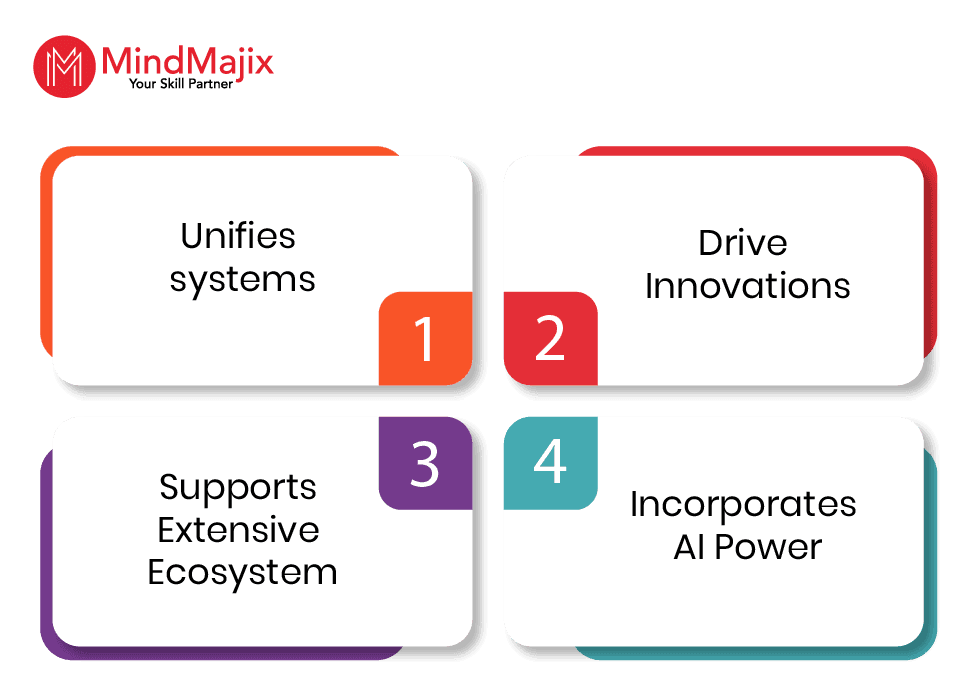
- Unifies Systems: NetSuite is a single, unified suite that helps you manage your entire business, including accounting, sales, HR, customer service, supply chain, procurement, and more.
- Incorporates AI-Power: NetSuite's AI capabilities simplify complex tasks, analyze data, provide recommendations, and generate insights.
- Supports an Extensive Ecosystem: You can extend NetSuite's capabilities by connecting with SuiteApp solutions from NetSuite partners.
- Drives Innovations: NetSuite releases feature enhancements twice a year. It allows companies to adopt the latest technologies and meet their evolving needs.
| If you would like to become a master in managing financial and human applications, then visit Mindmajix a global online training platform: "Oracle Netsuite Online Certification Training" this course will help you to achieve excellence in this domain. |
You may be wondering how NetSuite works. We can explore it in the coming section.
How Does NetSuite ERP Work?
NetSuite follows the Software-as-a-Service (SaaS) model, so you don’t need to install any software or maintain any IT infrastructure on your premises. You only need to subscribe.
NetSuite’s cloud SaaS architecture offers excellent scalability, enabling you to add functionality as your business grows. You don’t need to allocate extra resources or staff to handle the additional workload.
Are you curious about NetSuite's features? The following section can help you.

Related Article: Types of ERP
NetSuite Features
Here we outline the key features of NetSuite.
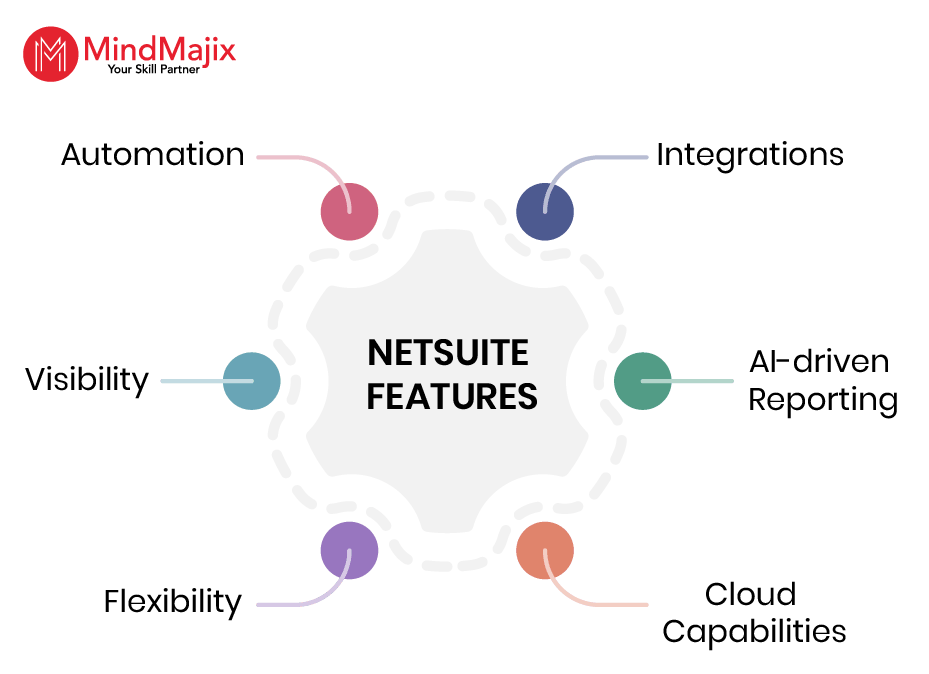
- Automation: NetSuite can automate business operations, including payroll, order processing, real-time reporting, invoicing, and more. It enables organizations to eliminate repetitive manual processes, reduce errors, and focus on more valuable tasks.
- Integrations: NetSuite, the real-time analytics ERP, integrates all financial, operational, and other business data in one place. You can create intriguing data visualizations by integrating NetSuite with Business Intelligence (BI) tools.
- Visibility: Businesses can track the performance of all business operations in a single platform. It helps them to make quick decisions and increase business performance.
- AI-driven Reporting: You can create role-based dashboards and generate insightful reports by conducting in-depth analyzes on business data. It drives business leaders to make informed, confident decisions based on reports generated by NetSuite.
- Flexibility: You can customize NetSuite to meet business needs using the SuiteCloud platform. Whether it is a start-up or an MNC, NetSuite meets the requirements of businesses of all types.
- Cloud Capabilities: NetSuite is a multi-tenant cloud solution that addresses common issues that may arise with traditional cloud solutions. In particular, it eliminates issues such as slow upgrades, version lock, and low scalability.
Next, we will discuss the key NetSuite modules in the following section.
Key NetSuite Modules
NetSuite modules are the building blocks of the NetSuite platform. Each module streamlines and optimises a specific business requirement efficiently.
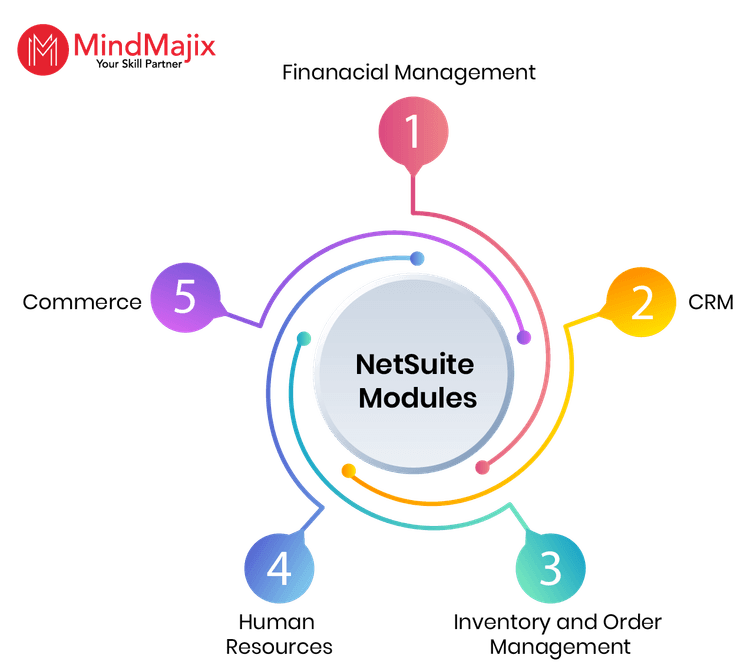
Let’s now look at some of the key NetSuite modules one by one.
- Financial Management Module
This module handles updating the general ledger, tracking accounts receivable and payable, and processing invoices.
It helps businesses comply with complex revenue recognition standards and enables real-time multi-currency conversions with intelligent financial automation.
- Customer Relationship Management (CRM) Module
This module provides a 360-degree view of customers. It provides forecasting tools for reviewing sales data and making predictions.
- Inventory and Order Management Module
This module provides a single view of inventory across all locations. It reminds teams to replenish orders at the right time. So teams can avoid out-of-stocks and excess inventory, thereby optimizing costs.
- Human Resources Module
The NetSuite HR module—SuitePeople stores employee information, ensures smooth onboarding, tracks promotions and compensation, and more.
- Commerce Module
This module provides an e-commerce site with the necessary tools to support B2B and B2C processes. It helps perform common tasks, such as viewing account balances, paying invoices, checking order statuses, and more.
Apart from these, NetSuite simplifies the following key areas:
- supply chain management
- procure management
- human capital management
- Project management
- Warehouse management
- Multisubsidiary management
Related Article: Sandbox Netsuite
We hope you are now familiar with the key NetSuite modules and their uses. It’s time to jump into the implementation part of NetSuite.
Key NetSuite applications
Here, we will explore some key NetSuite apps in detail.
- SuiteScript:
SuiteScript is NetSuite’s scripting language that enables you with application-level scripting capabilities. It supports advanced procedural logic on the server and client sides.
You can use this scripting language to expand the NetSuite capabilities. Besides, you can customise, search, and process your NetSuite data. You can use the SuiteScript debugger to debug server scripts.
- SuiteFlow:
Suiteflow helps create and execute workflows in NetSuite. It can create workflows for transaction approval, lead nurturing, and record management.
You need the necessary permissions to access the relevant records, which are essential for creating workflows.
NetSuite Implementation Process
Let’s walk through the steps involved in the NetSuite cloud ERP implementation process.
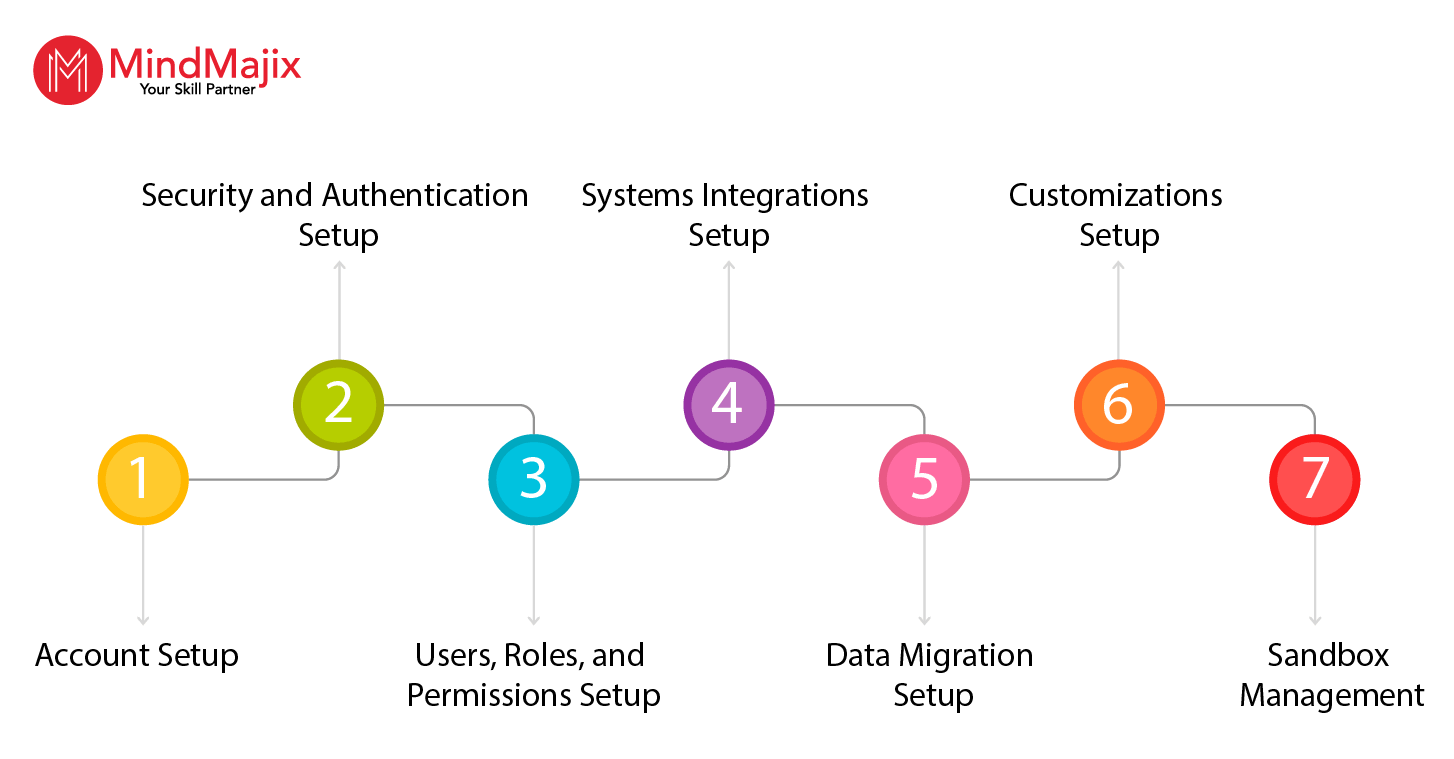
- Account Setup: This step includes the following tasks.
- Creating a login page
- Defining customizations
- Security and Authentication Setup: In this step, you will determine how users and client applications access the NetSuite platform.
- Setting a strong password policy
- Setting up SSO authentication
- Setting up the two-factor and token-based authentication
- Users, Roles, and Permissions Setup: In this step, you will create custom roles for employers, vendors, partners and customers. It includes the following key tasks.
- Creating roles for every function
- Assigning core administration permissions
- Customizing standard roles
- Systems Integrations Setup: In this step, you will use the following tools to integrate NetSuite with other systems.
- Using the CSV Assistant to make small and medium-sized data imports using CSV files
- Using RESTlets to retrieve, add, and manipulate data from external sources
- Using web services for large-scale data migrations
- Data Migration Setup: You need to perform the following tasks to migrate your company's data.
- Cleaning data before importing
- Storing related data in separate CSV files
- Customizations Setup: In this step, you will configure and integrate the system to meet your organization's needs.
- Planning and reviewing before making NetSuite customizations
- Setting up naming conventions for your customizations
- Building functional tests to examine business processes in NetSuite
- Sandbox Management: NetSuite sandbox is an account where you can develop and test new applications. This is where you can make customizations without affecting your production account.
- Monitoring and refreshing the sandbox
- Managing refreshes from production
NetSuite offers many benefits to its customers. You will learn about them in the following section.
NetSuite ERP Benefits
Let’s have a look at the NetSuite ERP system benefits below:
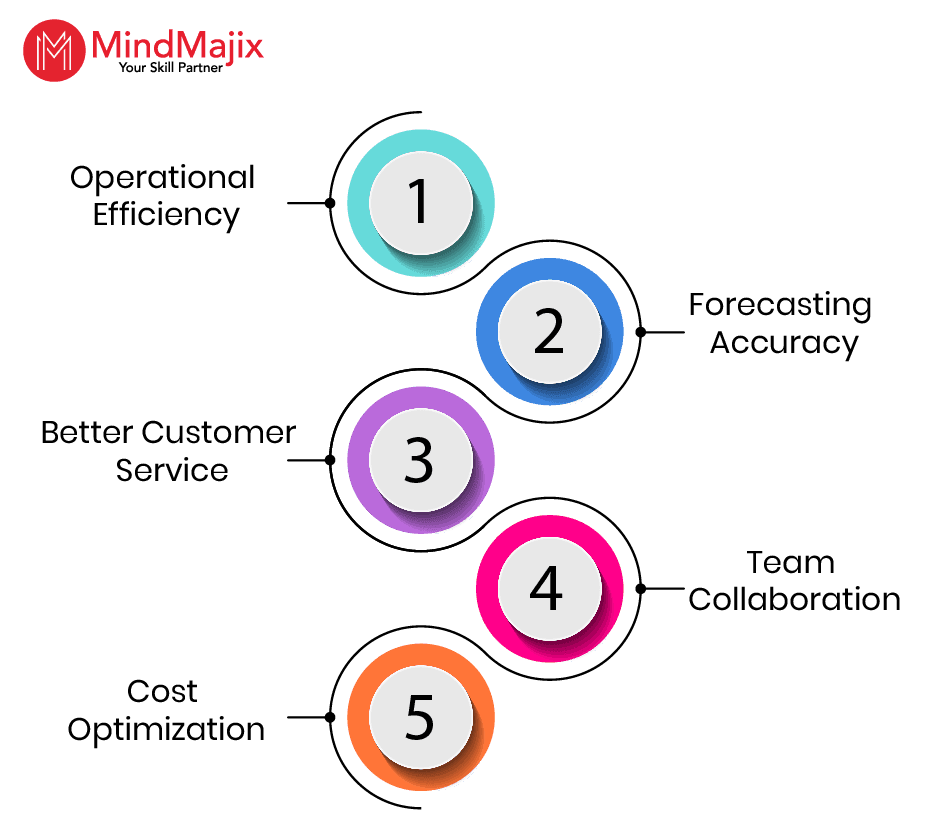
- Operational Efficiency: NetSuite is an integrated business software that automates all business processes, improving productivity.
- Forecasting Accuracy: You can analyze historical business data to uncover hidden insights. It helps companies make proactive decisions and protect their businesses from unexpected market events.
- Better Customer Service: NetSuite brings customer information together in one place, from contact details to order history. It helps you resolve issues quickly and enhance customer satisfaction.
- Team Collaboration: It enables all teams to work together using centralized data, eliminating communication gaps and duplication of work.
- Cost Optimization: You can monitor inventory levels, deliver orders on time, and minimize costs with NetSuite.
We hope you have gained a deep understanding of NetSuite. Next, we will explore career opportunities for NetSuite professionals.
NetSuite Certifications and Career Opportunities
In this section, we will review the career opportunities NetSuite offers for ERP aspirants.
- NetSuite Certifications:
NetSuite offers many certifications to aspirants to prove their expertise in the NetSuite platform. Passing certifications demonstrates one’s competency with this enterprise automation platform.
Here are the key NetSuite certifications.
- Industries Using NetSuite:
- NetSuite reports that it has over 43,000 customers and subsidiaries in 220 countries worldwide.
- It also states that the following industries employ the NetSuite platform to run their business operations.
- Advertising and digital marketing agencies
- Consulting
- IT Services
- Education
- Financial services
- Healthcare and life sciences
- Media and publishing
- According to NetSuite, the following companies leverage NetSuite to improve profitability and business agility.
- Axialent
- Cordate Services
- School of Rock
- Champion Fibreglass
- Aviva
- Barcoding
- NetSuite Professional Salary Insights
According to Glassdoor, NetSuite consultants can earn between 4 LPA and 11 LPA in India. According to ZipRecruiter, NetSuite consultants can earn between $42,500 and $174,500 in the USA.
Frequently Asked Questions
1) Is NetSuite accounting software?
Ans: No, NetSuite is more than accounting software. Though it began as an accounting tool, it later evolved into a robust ERP platform. It can handle both front-office operations (sales and marketing) and back-office operations (HRM and accounting).
2) Is learning NetSuite easy for beginners?
Ans: Yes, beginners can learn NetSuite easily. If you gain a clear understanding of ERP processes and devote adequate time, you can learn NetSuite quickly.
3) Is NetSuite suitable for small businesses?
Ans: Yes, NetSuite is suitable for small businesses, as well as medium- and large-sized enterprises. Since NetSuite offers strong scalability, any business can adopt it to meet its needs.
4) Can I learn NetSuite quickly?
Ans: Yes, you can. MindMajix offers 25 hours of NetSuite training for both beginners and experienced learners. The training will help you gain hands-on expertise to easily implement the NetSuite platform in complex, real-time environments.
5) Is it hard to implement NetSuite?
Ans: NetSuite is more than a plug-and-play application. It is a robust system that demands strong technical expertise for implementation. Migrating data and configuring workflows require a strong understanding of NetSuite.
6) Can I get any resources for learning NetSuite?
Ans: MindMajix offers the following NetSuite e-resources.
Conclusion
In summary, NetSuite is a cloud-based SaaS ERP solution that helps organizations optimise business processes, achieve greater real-time visibility, and boost operational efficiency. As many industries and companies employ NetSuite extensively, this creates more career opportunities for ERP professionals.
If you want to learn more about NetSuite, you can enroll in MindMajix’s NetSuite training. It will help you gain hands-on experience with NetSuite and take your ERP career to the next level.
 On-Job Support Service
Online Work Support for your on-job roles.

Our work-support plans provide precise options as per your project tasks. Whether you are a newbie or an experienced professional seeking assistance in completing project tasks, we are here with the following plans to meet your custom needs:
- Pay Per Hour
- Pay Per Week
- Monthly
| Name | Dates | |
|---|---|---|
| NetSuite Training | Oct 10 to Oct 25 | View Details |
| NetSuite Training | Oct 13 to Oct 28 | View Details |
| NetSuite Training | Oct 17 to Nov 01 | View Details |
| NetSuite Training | Oct 20 to Nov 04 | View Details |

Ravindra Savaram is a Technical Lead at Mindmajix.com. His passion lies in writing articles on the most popular IT platforms including Machine learning, DevOps, Data Science, Artificial Intelligence, RPA, Deep Learning, and so on. You can stay up to date on all these technologies by following him on LinkedIn and Twitter.


