- Home
- Enterprise Application Integration Courses
- Oracle SOA Admin Training
Join the cohortGet instant access (self-paced)

Real-time Use cases
24/7 Lifetime Support
Certification Based Curriculum
Flexible Schedules
One-on-one doubt clearing
Career path guidance
MindMajix has created a more practical career platform for SOA aspirants through our 25-hour Oracle SOA Admin training offering self-paced Oracle SOA Admin videos or live online interactive sessions. Oracle SOA Admin online training program comprises a combination of basic theory, discussions over complex Oracle SOA Platform Administration scenarios, hands-on labs, exercises, and three real-time use cases. It also includes the topics from the Oracle SOA Suite 12c Certified Implementation Specialist Exam. After completing the training, MindMajix's job-search assistance team conducts mock interviews and guides learners to apply for Oracle SOA Suite 12c Administrator jobs.


Course Coverage
YOUR LEARNER JOURNEY - From Enrolment to Employment
Six guided stages take you from your first training class to your first offer — each one backed by a specific MindMajix support service.
Pick live online or self-paced, and set up a free Oracle SOA Admin Instance so you practice from day one.
Master Oracle SOA Admin concepts with 25 hrs of current-release content, applying every concept in hands-on labs and real-time projects throughout.
Clear the assessments for your shareable MindMajix completion certificate. Modules map to official Oracle SOA Admin exam topics for exam-aligned prep.
Turn skills into a profile recruiters notice — build an interview-ready resume and a strong LinkedIn presence using proven Oracle SOA Admin templates.
Walk in already rehearsed. Sit structured mock-interview rounds with experienced SMEs and get focused feedback on your Oracle SOA Admin skills and scenario questions.
Apply with confidence using job-search assistance and referrals to hiring partners across India & the USA. (Career support provided; placement not guaranteed.)
Start the journey today - choose the format that fits you.
MindMajix's Oracle SOA Admin learning path provides a curriculum tailored to strategic SOA project roles for Administrators to develop a strong background in SOA Admin basics, advanced enterprise deployment, and performance tuning. This foundation helps you acquire the skills most in-demand in Oracle SOA Suite 12c Administration jobs.
Identifying and overcoming monitoring and management challenges in the SOA
Centralized monitoring and management of the SOA platform
Performance monitoring and management
Managing composite application lifecycles
Understanding the Oracle Fusion Middleware landscape
The Oracle SOA Suite 12c infrastructure stack
New features of Oracle SOA Suite 12c
Summary
Discovering the consoles
Accessing Fusion Middleware Control
Summary
Preparing the environment
Starting up the infrastructure
Verifying server startup
Shutting down the infrastructure
Summary
Understanding revisions
Starting up and shutting down SOA composites
Retiring and activating SOA composites
Deleting SOA composite instances
Structuring SOA composites with partitions
The default partition
Managing Partitions
Grouping SOA composite applications into partitions
Considerations for partition management
Updating runtime properties for SOA composites
Assigning a partition to a Work Manager Group list
Securing access to partitions
Managing OSB service lifecycles
Advanced debugging in OSB
Summary
Deploying from Fusion Middleware Control
Deploying with Ant
Deploying OSB projects
Deploying BAM artifacts
Deploying MDS artifacts
Summary
SOA transaction monitoring
Monitoring composite instances
Monitoring composite instance performance
Monitoring OSB instances
The DMS Spy Servlet
Identifying and viewing log file entries
Relevant log files
Monitoring Service Engine instances and faults
Monitoring Event Delivery Network
Oracle WebLogic Server monitoring
OEM Cloud Control and the SOA Management Pack
Summary
Navigating key administration areas
Introduction to Change Center
Configuring infrastructure properties
Configuring and administering SOA composites
Summary
Managing metadata repository partitions
Purging the metadata version history
Summary
The art of troubleshooting – where do you start?
Troubleshooting infrastructure problems
Troubleshooting performance issues
Troubleshooting SOA composite instances
Troubleshooting OSB instances
Using selective tracing
Troubleshooting SOA deployment issues
Troubleshooting OSB deployment issues
Summary
Understanding what needs to be backed up
Recovery strategies
Summary
Discovering the ESS consoles
Understanding ESS terminology
Starting and stopping ESS
Scheduling jobs
Creating Schedules
Submitting Job Requests
Monitoring Job Requests
Altering Job Requests
Incompatibility
Defining Job Sets
Setting up a Purge Policy
Tuning and troubleshooting ESS
Using ESS WLST commands
Summary
Architecture
Downloading the software
Installation prerequisites
Installing Java and Infrastructure
Configuring WebTier
Installing Oracle SOA Suite
Installing Oracle Service Bus
Installing Oracle Enterprise Scheduler
Mindmajix offers advanced Oracle SOA Admin interview questions and answers along with Oracle SOA Admin resume samples. Take a free sample practice test before appearing in the certification to improve your chances of scoring high.
Our Oracle SOA Admin Training course aims to deliver quality training that covers solid fundamental knowledge on core concepts with a practical approach. Such exposure to the current industry use-cases and scenarios will help learners scale up their skills and perform real-time projects with the best practices.
 Training Options
Both options cover the full curriculum and include most of the certification topics
Learn anytime, at your own pace — complete the course in weeks or months.

Get Pricing
Real-time classes with a certified expert — ask questions, get instant feedback, and walk away job-ready

07:00 PM ET · Weekend · Limited seats available

25 hrs · Live online · Recordings included
3 weekends · 25 hrs total
2 weeks · 25 hrs total
Need a different time? We offer and at any timezone. Contact a course advisor to set one up.
Empower your team with new skills to Enhance their performance and productivity.
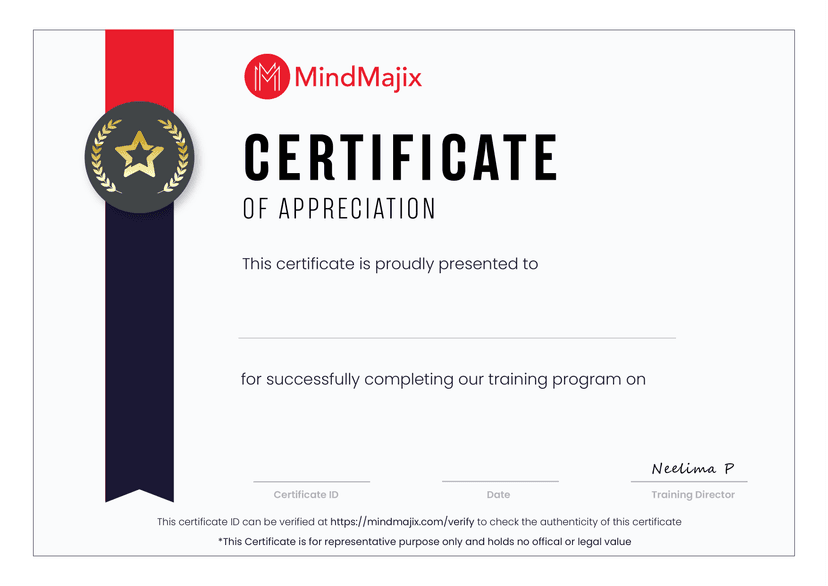
Passing Oracle SOA Admin Training Quizzes & Assessment exams is mandatory to attain the Oracle SOA Admin Training Course Completion certificate
Oracle SOA Suite 12c Essentials Exam (1Z0-434) exam tests leaner's skills in BPEL modeling, adapters, business rules, human task services, service mediation, event processing, BAM, security services, deployment, installation, and configuration of Oracle SOA Suite. After clearing this exam, you will be an Oracle SOA Suite 12c Certified Implementation Specialist.
Please find more details about the Oracle SOA certification below.
Questions Format: Multiple-Choice
Duration: 120 Minutes
Number of Questions: 78
Passing score: 73%
Note: MindMajix's Oracle SOA training covers all the exam topics.
Learn from the certified and real time working professionals.
Praveen , having 8+ yrs of experience
With 8+ years of experience in training and nine years of working experience, Praveen is a certified professional, has trained more than 500+ students and delivered seven corporate firms with live online sessions worldwide.
We believe in transparency. Here's how MindMajix stacks up against typical Oracle SOA Admin Training providers so you can compare value, support, and practical depth clearly.
Oracle SOA Admin Training
 5812 learners
Generic Oracle SOA Admin Training Providers
Updated to the latest exam pattern with real-world modules, guided labs, and implementation depth.
Always currentOften outdated basics with limited real-world coverage and shallow practical context.
Frequently outdatedSandbox-style practice with guided exercises, projects, and replay-friendly learning support included. Dedicated sandbox access is available as an optional paid add-on.
Guided practice with optional sandboxTraining may rely heavily on slides or generic demonstrations, with limited project guidance and minimal support during practical implementation.
Limited practical guidanceCertified trainers with real implementation experience and structured teaching support.
Verified expertiseTrainer quality varies widely and may depend on availability rather than specialization.
Varies widelyA stable trainer journey with consistent delivery, doubt support, and batch continuity.
Consistent trainerTrainer substitutions can happen mid-course and interrupt learning continuity.
Frequent changesOngoing help through trainer sessions, community support, and guided clarification after class.
Extended supportSupport often stops after sessions, leaving little structured post-class help.
No post-training helpResume reviews, mock interviews, hiring guidance, and practical interview preparation support.
Active placement supportPlacement support is often limited to generic guidance or an email list.
Mostly nominalStructured mock interview rounds with domain-focused feedback before interviews.
IncludedStudents are usually expected to prepare independently without guided mock rounds.
Not includedWeekday, weekend, and flexible learning paths with guidance on the best fit.
Fully flexibleFixed schedules with fewer alternatives once a batch begins.
Limited optionsPractice questions, revision guidance, and exam-focused preparation aligned to current objectives.
Comprehensive prepGeneric question banks that may not reflect the latest exam priorities.
Outdated mock testsStrong value with training, support, and practical learning included as a single package.
Best value for inclusionsLower headline pricing can still lead to add-on costs for labs, support, or extras.
Hidden add-on costsLong-term access to recordings and study materials for revision after batch completion.
Lifetime-style accessAccess is often time-limited and may not include refreshed supporting material.
Time-limited access
I took Oracle SOA Admin Training at Mindmajix which was my best Online Session that was available at a very reasonable price.
On-Job Support Service
Our work-support plans provide precise options as per your project tasks. Whether you are a newbie or an experienced professional seeking assistance in completing project tasks, we are here with the following plans to meet your custom needs: