- Home
- Blog
- ServiceNow
- ServiceNow WebAssessor to Pearson VUE Registration

- ServiceNow Interview Questions and Answers
- What is ServiceNow Ticketing Tool
- ServiceNow Tutorial
- Top 10 IT Management Tools
- What is Servicenow Workflow
- ServiceNow Admin Interview Questions and Answers
- What is ServiceNow - A Complete Guide for Beginners
- What is ServiceNow GRC
- ServiceNow Reporting
- ServiceNow Data Model
- What is ServiceNow Orchestration
- What is ServiceNow ITIL - A Complete Overview
- ServiceNow vs Jira Service Management
- ServiceNow Architecture
- SLA ServiceNow
- ServiceNow Integration With Jira
- ServiceNow Scripting Interview Questions
ServiceNow is a leading ITSM platform and offers many valuable certifications. Previously, ServiceNow managed exams and certifications through WebAssessor. ServiceNow transitioned its certification exam delivery from Kryterion WebAssessor to Pearson VUE on November 18, 2025.
Pearson VUE is ServiceNow’s current exam delivery provider. You can initiate exam registration through ServiceNow University and use Pearson VUE to schedule your exam. This quick guide provides the information you need to register for ServiceNow exams and manage your certifications effectively.
Let’s get started.
Table of Contents
- WebAssessor and Pearson VUE - An Overview
- How to Register for a ServiceNow Exam through Pearson VUE
- Preparing for ServiceNow Online-Proctored Exams with OnVUE
- Managing Legacy WebAssessor Credentials After the Transition
- Accessing ServiceNow Certifications
- ServiceNow Certifications
- FAQs
- Conclusion
WebAssessor and Pearson VUE - An Overview
WebAssessor was an online exam management and delivery platform run by Kryterion. ServiceNow previously used Kryterion WebAssessor for certification exam registration, scheduling, and delivery.
After ServiceNow switched to Pearson VUE, it no longer uses WebAssessor for new ServiceNow certification exam registrations.
Pearson VUE is Pearson’s global computer-based testing and certification exam delivery service. It offers secure exam delivery services for professional certifications, academic assessments, and more.
You can register and schedule certification exams using this platform. Also, you can take eligible exams remotely using OnVUE, Pearson VUE's online proctoring system. You must complete identity and security checks before taking an exam.
Pearson VUE handles exam delivery and monitoring. Besides, you can reschedule an exam within the applicable deadline. Exam payments are nonrefundable, so we don't encourage exam cancellations.
How to Register for a ServiceNow Exam through Pearson VUE?
Let’s walk through the process of registering for a ServiceNow exam.
- Sign in to ServiceNow University using the link below, then access the certification exam you want to take. Enter the required details:
Link: https://learning.servicenow.com/now/lxp/home
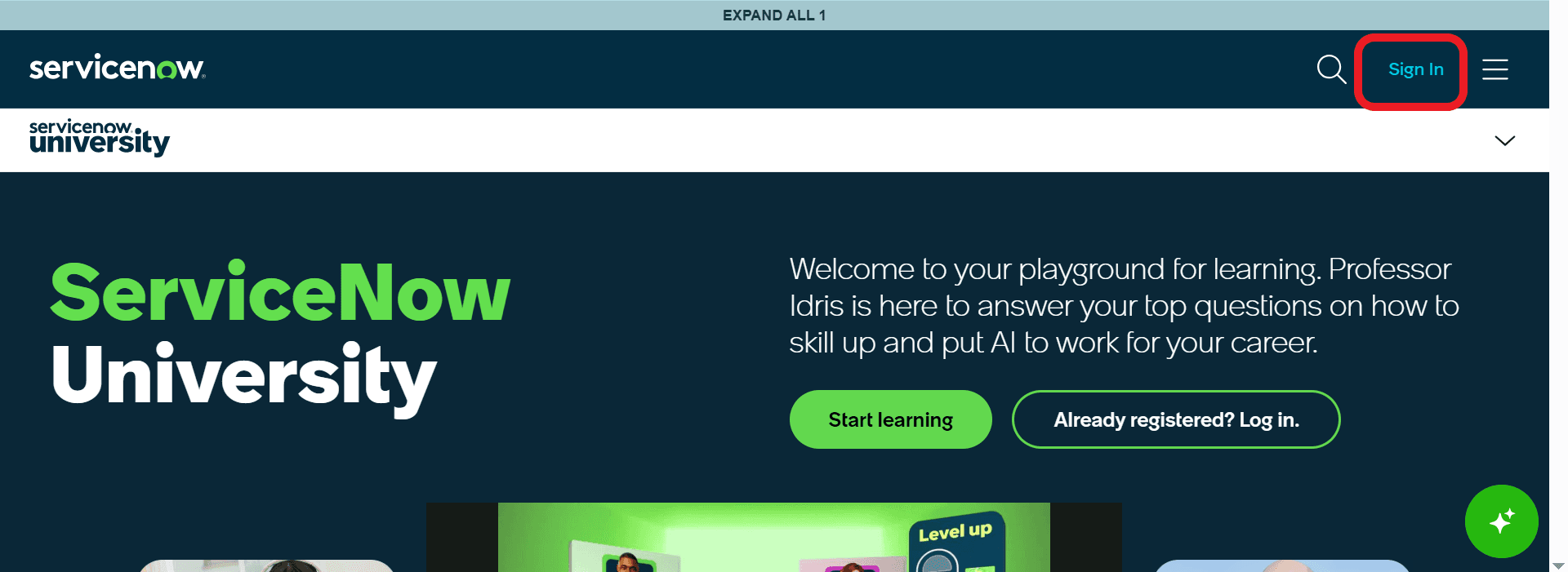
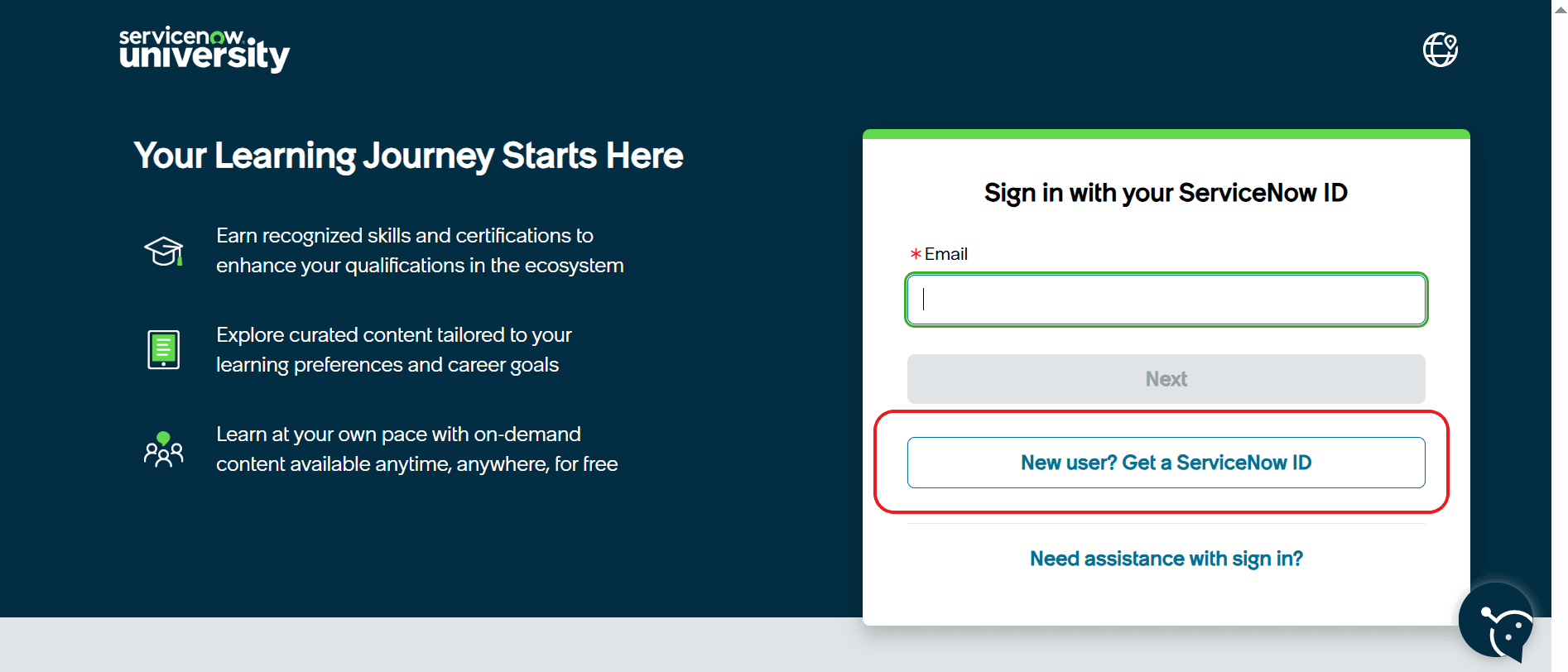
- Enter your email address to obtain your ServiceNow ID:
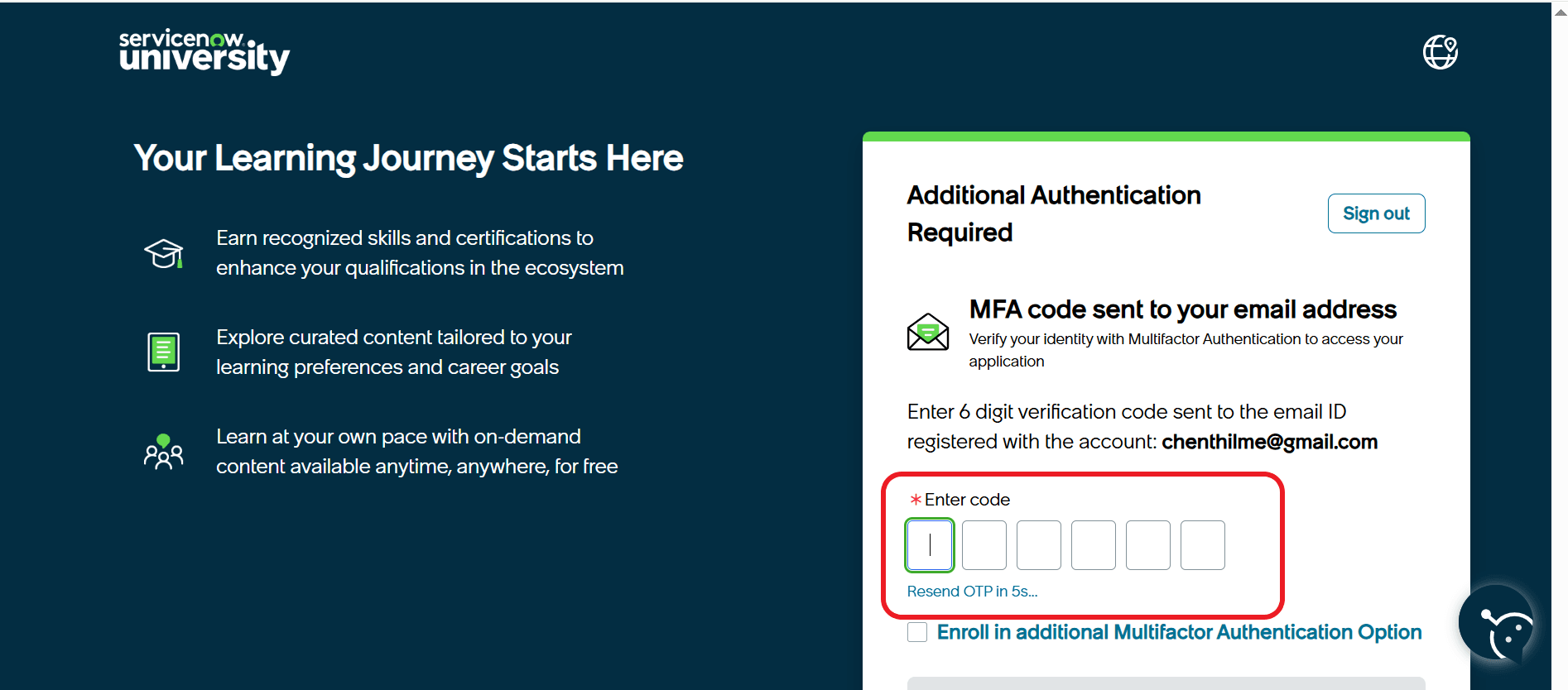
- You will receive a verification code at your registered email address:
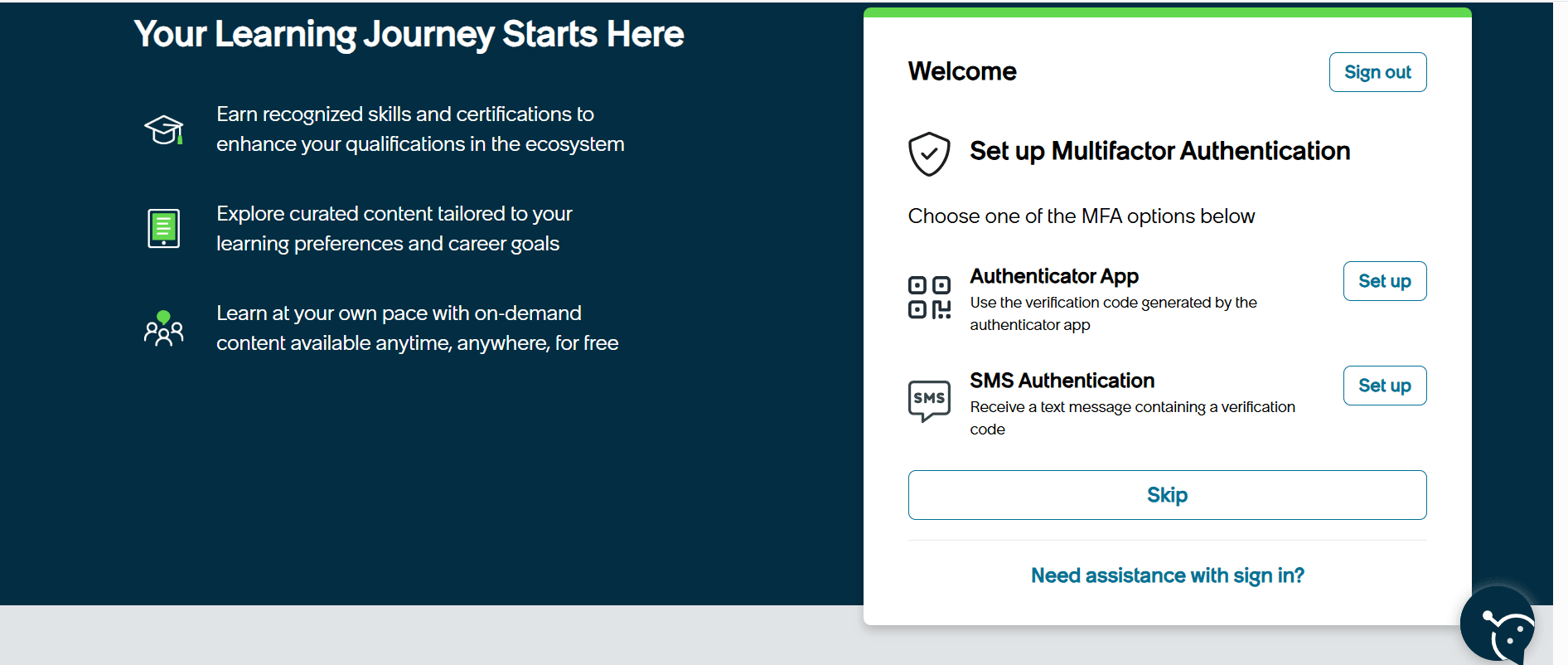
- Next, you may be asked to set up multifactor authentication, which is optional:
- Now, you will then be taken to your ServiceNow University learning page. Search for the certification exam you wish to take:
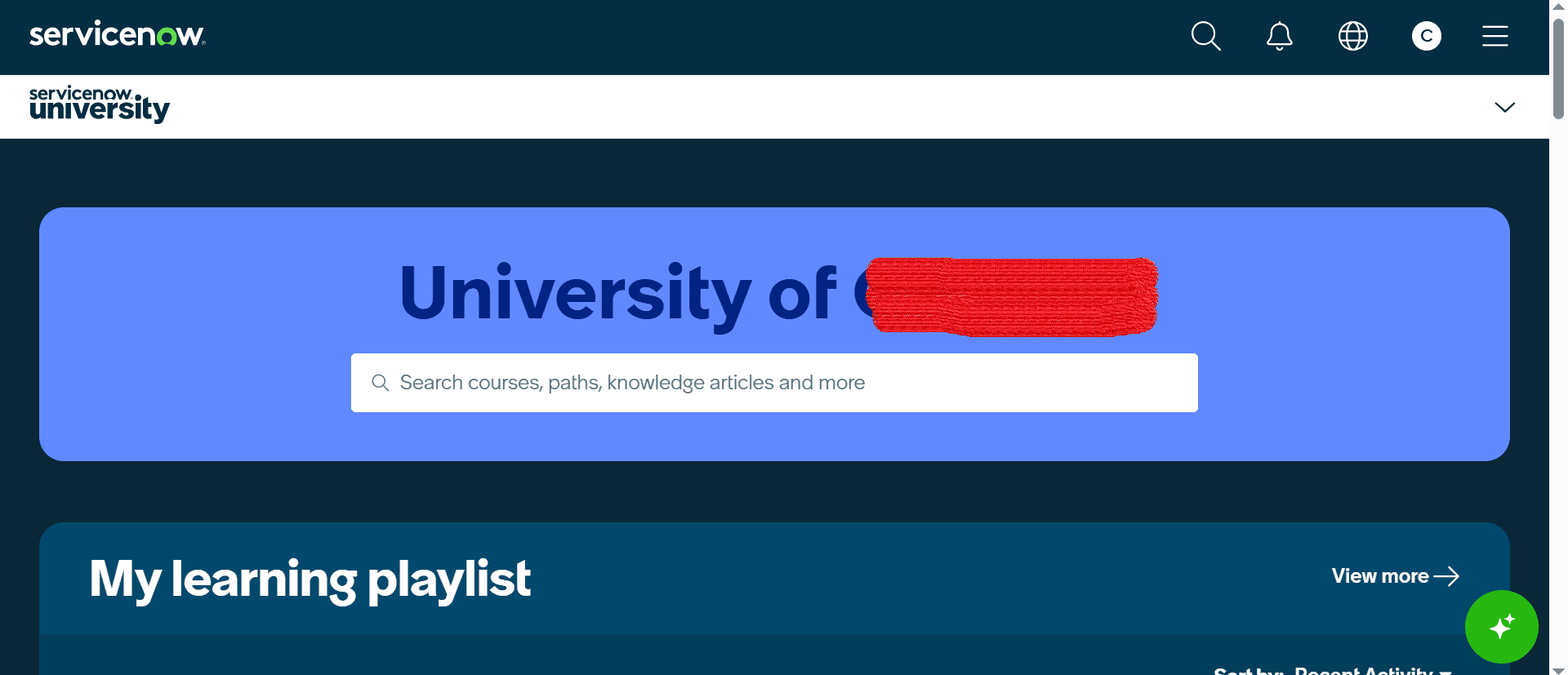
- You will be directed to the certification page, where you can register for the exam:
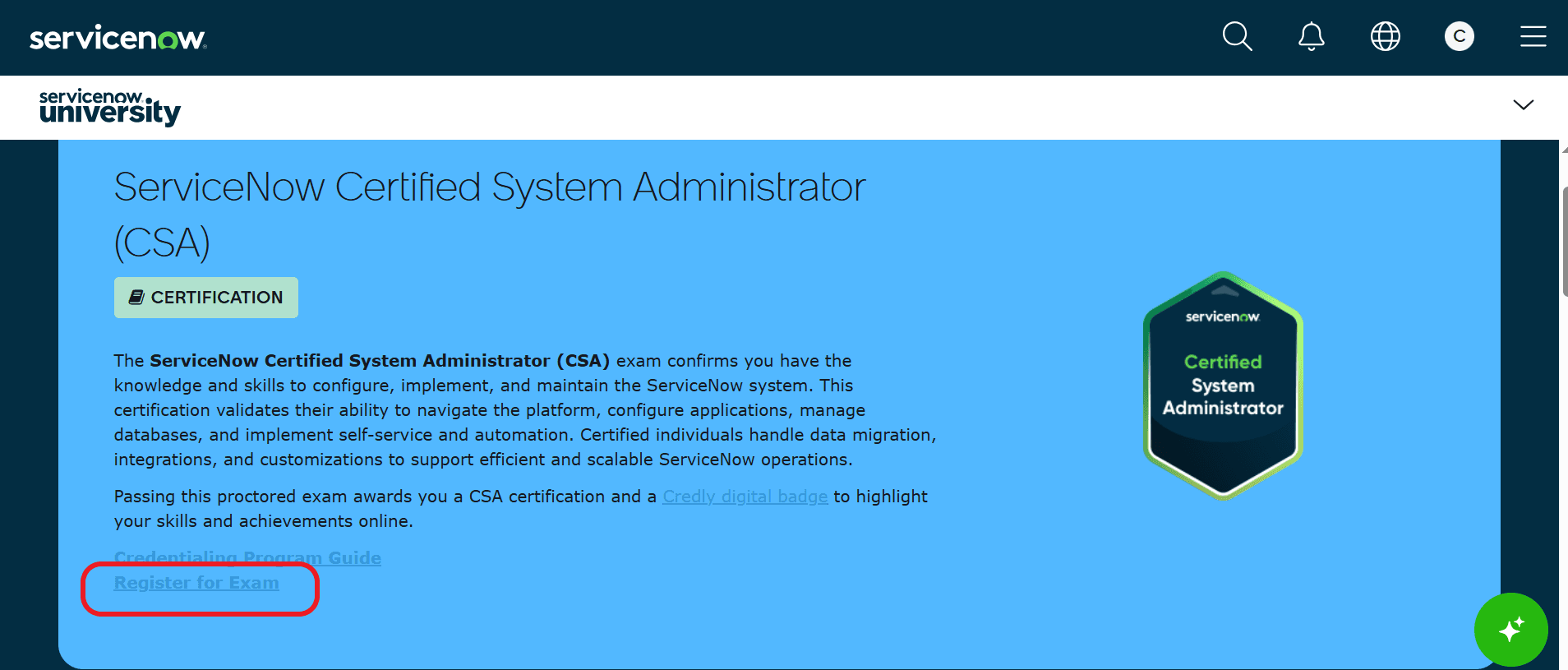
- Enter your full name in the required fields, and you will be asked to select a payment method:
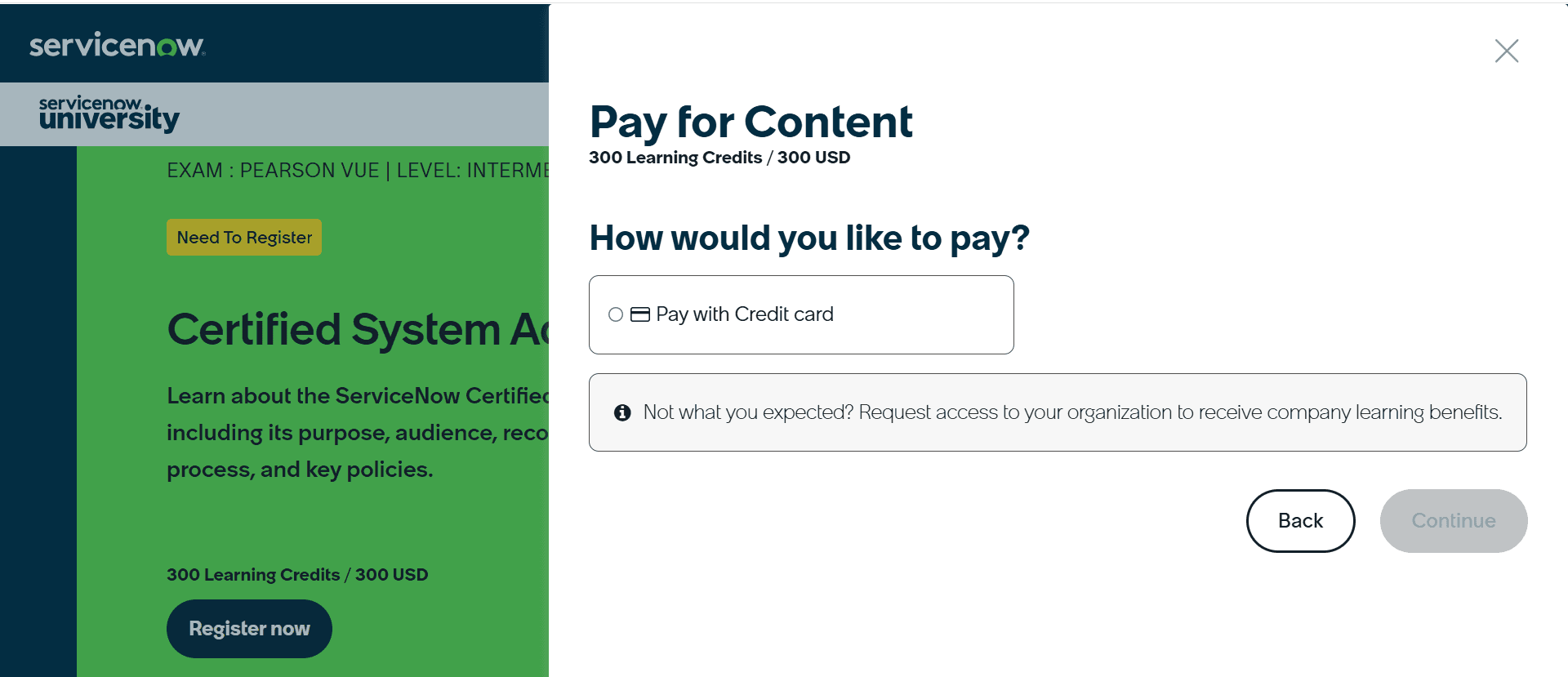
- Agree to the exam terms and conditions, then continue.
- Enter your payment information and register for the certification exam.
- Select the option to schedule your exam under ‘My Exams’.
- Select your preferred delivery method from the options below:
- Pearson VUE test centre
- Online-proctored exam via OnVUE
- Choose an available date, time, and time zone, then complete the registration.
- After registration, you generally have 90 days to schedule and complete the exam.
- If the registration expires before you complete the exam, you must re-register and pay the applicable fee.
- Finally, you will receive an exam confirmation email.

Preparing for ServiceNow Online-Proctored Exams with OnVUE
Let’s review the steps you must complete before taking an online-proctored exam with Pearson VUE.
- First, complete the OnVUE system test.
- You can access the system test through the Pearson VUE website or the confirmation email.
- The OnVUE system check verifies whether your computer, camera, microphone, internet connection, and testing environment meet the requirements for online proctoring.
- Run the OnVUE system test well before your exam appointment so you have time to resolve any technical issues.
Managing Legacy WebAssessor Credentials After the Transition
Next, we will discuss how ServiceNow handles the migration from WebAssessor to Pearson VUE across different scenarios.
When your WebAssessor Account is Linked to a Former Employee’s Email Address:
- Visit the ServiceNow University
- Go to the ServiceNow University Help Centre
- Create a support case that explains the situation
- ServiceNow Support can update the email address on record
- Note that ServiceNow University handles this process, not WebAssessor.
When you Change Jobs:
ServiceNow certifications are individual credentials. They belong to the individual, not the company. Even if your WebAssessor account was connected to a work email address, you can transfer the certifications to your personal ServiceNow University account by submitting a support case.
Migrating Organisation WebAssessor Accounts:
Enterprise organisations that previously had WebAssessor Organisation administrator access to track team members’ certifications must now use the ServiceNow University Organisation Portal.
Organisations must contact ServiceNow University through their Business Customer Success team.
What Happens to Unused WebAssessor Vouchers?
The traditional WebAssessor voucher process is no longer used for ServiceNow certification exam registrations. You should follow the latest ServiceNow University registration and payment process. If you have questions about legacy vouchers, you can contact ServiceNow University Support.
Accessing ServiceNow Certifications
You can access your current ServiceNow certifications through ServiceNow University.
- Log in to ServiceNow University (SNU) with the account connected to your existing ServiceNow certifications
- Open My Learning
- Go to My Achievements
- Under ‘My Credentials’, choose ‘Mainline certifications’
- View the relevant certification and download it.
List of ServiceNow Certifications
Let’s look at some of the key ServiceNow certifications:
| Certification | Suitable For | Relevant Roles |
| ServiceNow Certified System Administrator (CSA) |
| ServiceNow Administrator |
| ServiceNow Certified Application Developer (CAD) | Developers | ServiceNow Developer |
| ServiceNow Certified Implementation Specialist - IT Service Management (CIS - ITSM) |
|
|
| ServiceNow Certified Technical Architect (CTA) | Experienced Professionals | Solution Architect |
| ServiceNow Certified Master Architect (CMA) | Experienced Professionals | Enterprise Architect |
| Certified Implementation Specialist – Customer Service Management (CIS–CSM) |
|
|
| Certified Implementation Specialist – Human Resources (CIS-HRSD) |
|
|
| Certified Implementation Specialist – Security Incident Response (CIS-SIR) |
|
|
| Certified Implementation Specialist – Risk and Compliance (CIS-GRC) |
|
|
| Certified Implementation Specialist – Service Mapping (CIS-SM) |
| Service Mapping Consultant |
Frequently Asked Questions
1. Does ServiceNow still use WebAssessor?
No. ServiceNow no longer uses WebAssessor to register for or schedule new certification exams. ServiceNow moved its certification exams from Kryterion WebAssessor to Pearson VUE on November 18, 2025.
2. How do I transfer my WebAssessor certifications to ServiceNow University?
You do not need to manually transfer your WebAssessor certifications to ServiceNow University. Your certification records and exam history from WebAssessor have been migrated to the Pearson VUE platform. Your credentials are still valid. If any previous certification is missing, you can ask ServiceNow University for assistance.
3. How do I manage my team’s ServiceNow certifications after the transition from WebAssessor?
You can manage your team’s ServiceNow certifications using organisation-level capabilities available through ServiceNow University.
4. If I fail a servicenow certification exam, when can I retake it?
The table below provides the required details:
| Attempt | Waiting Period |
| Between 1st attempt and 2nd attempt | 3 days |
| Between 2nd attempt to 3rd attempt | 30 days |
| 3rd attempt onward | 6 Months |
Conclusion
We hope you now understand how to use ServiceNow University and the Pearson VUE platform to register for and schedule exams. Also, you might have understood the information about certification migration from servicenow to Pearson VUE.
If you are preparing for ServiceNow certification, explore ServiceNow course from MindMajix to develop hands-on expertise in servicenow platform.
 On-Job Support Service
Online Work Support for your on-job roles.

Our work-support plans provide precise options as per your project tasks. Whether you are a newbie or an experienced professional seeking assistance in completing project tasks, we are here with the following plans to meet your custom needs:
- Pay Per Hour
- Pay Per Week
- Monthly
| Name | Dates | |
|---|---|---|
| ServiceNow Training | Oct 20 to Nov 04 | View Details |
| ServiceNow Training | Oct 24 to Nov 08 | View Details |
| ServiceNow Training | Oct 27 to Nov 11 | View Details |
| ServiceNow Training | Oct 31 to Nov 15 | View Details |

Madhuri is a Senior Content Creator at MindMajix. She has written about a range of different topics on various technologies, which include, Splunk, Tensorflow, Selenium, and CEH. She spends most of her time researching on technology, and startups. Connect with her via LinkedIn and Twitter .


